Color Sort 3D (Unity Complete+Admob+Android+iOS)
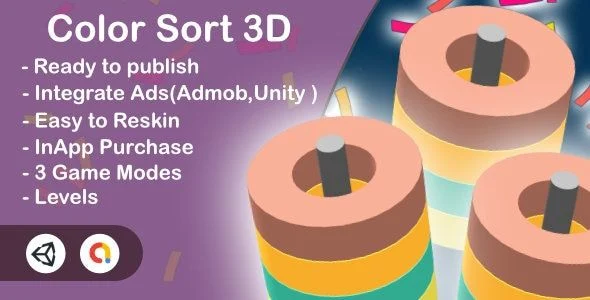
Color Sort 3D Overview & Mobile Puzzle Game Engine Architecture
Color Sort 3D is a Unity-built casual 3D puzzle game source package, engineered for mobile studios and indie developers to ship a fully monetized ball-sorting title on Android and iOS. The template removes the two largest production bottlenecks in hyper-casual delivery: building a validated level progression system from scratch and wiring ad-based monetization into both platform build pipelines. In an agency or solo production workflow, the codebase functions as a drop-in foundation where designers reskin sprites, configure modes, and export store-ready binaries without rewriting gameplay logic.
Technical Specifications & Deployment Matrix
| Engineering Metric | Deployment Specification |
|---|---|
| Base Technology / Framework | Unity engine, cross-compiling to Android (Kotlin 1.x runtime, Android 9.0 through 12.0) and iOS |
| Runtime / Language Requirements | Unity runtime with C# scripts; native Android artifacts include .dex, .so, .java, and .xml files |
| Data Exchange / Communication Protocols | AdMob and Unity Ads SDKs for interstitial and rewarded ad request dispatch |
| Front-End / Engine Dependencies | Unity Editor scripts for reskin automation; UI effects and audio subsystems bundled |
| Database / Persistence Footprint | Local .dat and .db files for level and session state; no external server dependency |
Ball Sorting Mechanics & Level Execution Pipeline
The core gameplay loop dispatches tap events to tube holders, swaps the topmost ball, and validates each holder until a single color fills every slot. Each tap travels from the input layer into the mode controller, which resolves the active puzzle state across one of three distinct game modes. Every mode carries its own level table of 100 stages, producing a combined progression of 300 validated puzzles that the persistence layer tracks through local .dat and .db storage. Because win validation runs against the holder state after every swap, the engine can branch instantly between level completion, failure continuation, and rewarded-ad recovery prompts. The rendering layer presents the puzzle in 3D with bundled UI transition effects and sound triggers fired by the same event bus, keeping visual feedback and game-state mutation synchronized. Studios that need additional volume beyond this template can evaluate Casual Bundle Games 6 as a separate multi-title Unity collection covering seven complete casual builds.
Core Technical Capabilities of Color Sort 3D
- Triplicate Mode Architecture: Three separate game modes each hold a 100-level table, giving the progression system 300 stages that load through a unified mode controller rather than duplicated scene logic.
- Dual-Network Ad Mediation: AdMob and Unity Ads both ship in the integration layer, with interstitial placements plus rewarded ads that gate bonus content through SDK callbacks before rewards dispatch.
- Editor Script Reskin Pipeline: Purpose-built editor scripts automate sprite and asset replacement, cutting rebrand cycles down to asset swaps instead of manual inspector editing across hundreds of references.
- Structured, Modular Codebase: The C# layer is organized into readable subsystems, so developers extending mechanics or adjusting win conditions modify isolated modules without destabilizing the input or persistence paths.
- Dual-Platform Export Path: A single Unity project compiles to Android and iOS targets, with a prebuilt .apk included so device testing can begin before any custom build configuration.
Production Implementation & Operational Resilience
Deploying the package starts with opening the project in the Unity Editor and verifying the included .apk on a physical device, which isolates environment issues before any code changes enter the pipeline. Monetization configuration runs through the documented AdMob setup walkthrough, where publishers register ad unit identifiers and route both interstitial and rewarded requests through the SDK initialization sequence. Unity Services and in-app purchase setup follow their own recorded procedures, allowing analytics, cloud build validation, and IAP product registration to be activated independently of the ad layer. On the asset side, layered PSD and layered PNG source files ship with the package, meaning the full UI and 3D texture set can be rebranded in a standard image editor and reimported through the editor scripts without touching gameplay code. Runtime resilience comes from the persistence layer’s local storage model: session and level state persist on-device without server round-trips, so the game remains fully playable offline and ad requests degrade gracefully when connectivity drops. Developers shipping a wider hyper-casual portfolio can treat Birdy Jump (Admob + GDPR) Unity Project as an independent Unity template covering a different genre with its own GDPR-ready monetization path. Export procedures for both stores are documented in video form, covering build settings, signing, and platform-specific compilation steps, while additional tutorial playlists address common modifications such as sprite replacement and project reconfiguration.
Frequently Asked Questions
Does the package include a prebuilt APK for testing before recompiling the project?
Yes, an .apk file ships alongside the source artifacts, letting developers validate gameplay on Android hardware immediately before opening the Unity Editor or performing any build configuration of their own.
Are layered source files provided for full UI and texture reskinning?
Yes, the deliverables include layered PSD and layered PNG files, so designers can rebrand every visual element in standard image-editing software and push replacements back through the bundled editor scripts.
Is a documented procedure available for configuring in-app purchases?
Yes, a dedicated video walkthrough covers in-app purchase setup, allowing publishers to register IAP products and wire transaction flows without reverse-engineering the store integration code independently.