Codix WebView — Convert Website to iOS App With No-Code Visual Builder
Product Overview
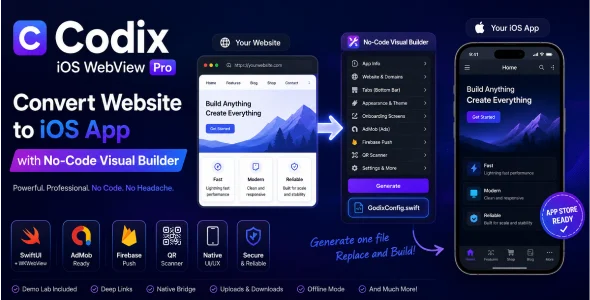
Codix WebView is a robust solution designed to Convert Website to iOS App With No-Code Visual Builder. It empowers webmasters and businesses to launch native iOS apps without complex coding. This tool transforms your responsive website into a functional iOS application, perfect for direct mobile channels for content, e-commerce, or informational portals.
The setup uses an intuitive visual builder. A live preview shows changes instantly when customizing navigation bar colors or adding splash screens. Drag-and-drop functionality makes uploading assets straightforward. I quickly adjusted UI elements and saw immediate updates in the simulator view, streamlining the design process.
What makes Codix WebView — Convert Website to iOS App With No-Code Visual Builder effective is granular control. Define tab bar items, linking to specific URLs like ‘Home’ or ‘Shop’ on your site. A simple toggle enables offline caching for certain pages, greatly enhancing user experience in low-connectivity scenarios.
When you Convert Website to iOS App With No-Code Visual Builder, push notification integration is simple. Input Firebase Server Key and Sender ID. Notifications from your backend or third-party services reliably reach users. Deep linking ensures notifications can direct users to specific app pages, enhancing engagement.
Codix WebView supports AdMob for monetization. Just enter Ad Unit IDs and set display frequency. You can preview ad placement to avoid disrupting user flow. A basic analytics dashboard offers quick insights into app opens and user engagement.
The export process for Codix WebView — Convert Website to iOS App With No-Code Visual Builder is quite clear. You download the Xcode project files directly. From there, it’s a standard Xcode build and App Store submission. The comprehensive documentation guides App Store submission, even for those new to iOS development.
Highlights & Value
- No-Code Visual Builder: Real-time UI customization for navigation, splash screens, and tabs.
- Push Notifications & Deep Linking: Simple Firebase integration for targeted user engagement.
- Offline Caching: Improves app performance and user experience in low-connectivity.
- AdMob Integration: Monetize with configurable interstitial and banner ads.
- Xcode Project Export: Full project files for seamless App Store submission.
Real-World Use Cases
- E-commerce: Turn your online store into a native iOS app for direct sales and notifications.
- Blogs & Publishers: Dedicated app for content consumption, enhancing reader engagement.
- Information & Directories: Mobile-first access for guides, events, or company information.
- Membership Sites: Exclusive app access to premium content and community features.
Technical & Compatibility
Generates a native Xcode project for iOS SDKs/Swift. Functions as a WebView wrapper; website responsiveness is paramount. Requires Xcode on macOS for compilation and App Store submission. Integrates with any WordPress site by pointing to your URL. Supports standard web technologies (HTML, CSS, JS) within the WebView environment.