Chicken Dash Game – Platformer Game (HTML5 + Android + iOS + Windows) | Construct 3
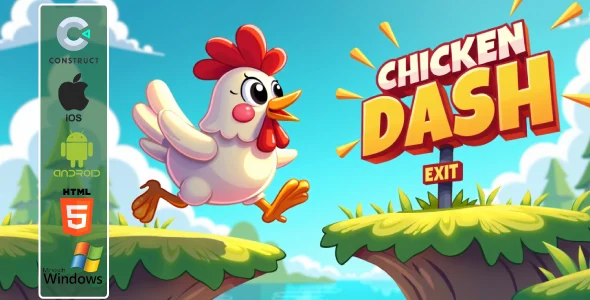
Chicken Dash Overview & Cross-Platform Game Architecture
Chicken Dash is a Construct 3 platformer game template, engineered for indie developers and casual game studios to run, jump, and dash a chicken character across obstacle-filled levels on four distribution targets. The package resolves the classic cross-compilation bottleneck by supplying a single .c3p project file alongside pre-built artifacts — an HTML5 export, an Android APK, an iOS Xcode project, and a Windows executable — so teams can publish without reconfiguring the engine export pipeline per platform. Within a production workflow, the codebase functions as a reskinnable foundation: PNG graphics, sound files, icons, and sprite fonts are decoupled from the event logic, letting studios swap the visual identity while preserving the run-and-jump mechanics.
Technical Specifications & Deployment Matrix
| Engineering Metric | Deployment Specification |
|---|---|
| Base Technology / Framework | Construct 3 event-sheet engine (.c3p project format) |
| Runtime / Language Requirements | HTML5 (JavaScript JS/JSON, HTML, CSS); PHP file included |
| Compatible Browsers | IE6–IE11, Firefox, Safari, Opera, Chrome, Edge |
| Native Build Targets | Android APK, iOS Xcode project, Windows EXE, HTML5 web export |
| Asset & Persistence Footprint | Layered PSD/PNG graphics, sound files, sprite fonts, icons; lightweight fast-loading project structure |
| Documentation | Chicken Dash Guide included in the delivery package |
Construct 3 Event Pipeline & Platformer Execution Flow
The core mechanism is a Construct 3 event-sheet runtime that drives character locomotion, hazard collision, and level progression. On each engine tick, the runtime evaluates input conditions — keyboard events on desktop, touch controls on mobile — and dispatches corresponding actions that translate the chicken sprite’s velocity vector across the layout. Jump and dash behaviors are bound to discrete event triggers, with collision polygons on obstacles terminating the run or resetting the player state when overlaps are detected. Because Construct 3 compiles the event sheets into JavaScript for the HTML5 export, the same logic executes inside a WebView container on Android, a WKWebView-based Xcode build on iOS, and a standalone Windows shell, keeping state synchronization identical across every target.
The input layer adapts to the host environment: responsive controls map to touch gestures on handheld devices and to physical keys on desktop, which is why the template performs consistently on mobile hardware and full browsers alike. Progressive level difficulty is encoded through layout-level obstacle placement, so designers tune challenge pacing by editing layouts rather than rewriting event logic. For studios evaluating complementary Construct-based titles, Sky Blaster operates as a parallel arcade shooter template on the same engine generation, while Animals Coloring Book represents a separate Construct 2/3 web-game path for kid-focused portals — both are independent codebases rather than mergeable modules.
Architectural & Functional Highlights
- Single-Source Multi-Platform Export: One .c3p project feeds four build outputs — HTML5 for web portals, APK for Google Play, an Xcode project for App Store submission, and an EXE for standalone PC distribution — eliminating divergent codebases.
- Decoupled Asset Layer: All visuals ship as layered PSD and PNG files, so a full reskin requires replacing sprite sheets and sound files without touching event sheets or the runtime logic.
- Responsive Input Abstraction: The control scheme maps automatically between touch inputs and desktop keyboard events, letting a single build serve handset and browser audiences with no conditional forks.
- Lightweight Payload: The project is optimized for fast loading and stable mobile performance, which reduces time-to-interactive on HTML5 game portals operating under traffic bursts.
- Monetization-Ready Distribution: The Android and iOS artifacts support ad-network integration at publish time, enabling ad-supported releases on both major stores.
Production Implementation & Operational Resilience
Deployment begins with opening the .c3p file in the Construct 3 editor, where the event sheets, layouts, and object instances are fully editable. The included APK allows immediate device testing on Android before any store submission, and the Xcode project imports directly into Apple’s toolchain for provisioning, signing, and App Store review. On the web side, the HTML5 export drops into any static host or game-portal embed, with the bundled PHP file supporting server-side hosting scenarios where a wrapper is required. Browser coverage spans legacy IE6 through IE11 and every modern engine — Firefox, Safari, Opera, Chrome, and Edge — which widens the addressable audience on portal networks that still report legacy traffic.
Operationally, the lightweight project structure keeps memory pressure low on mid-range handsets, and the sprite font system avoids runtime font-loading dependencies that would inflate first-paint time. Customization boundaries are well defined: art replacement happens at the asset layer (PSD/PNG swaps), audio at the sound-file layer, and behavior tuning at the event-sheet layer. Adding levels means duplicating layouts and extending the progression events — a documented path rather than a code fork. Teams building broader arcade catalogs can treat this template as one node in a portfolio strategy; for decoupled implementations outside the platformer genre, Watercraft Rush and Rugby Rush run as separate standalone HTML5 titles suited to the same portal-distribution model.
Pre-deployment prerequisites are minimal: a Construct 3 license for editor access, Xcode and an Apple developer account for the iOS channel, and standard store accounts for Google Play publishing. No server-side database or backend service is required, since the game logic is fully client-side.
Frequently Asked Questions
Does the package include ready-to-test native builds in addition to the source project?
Yes. The delivery contains an Android APK for direct device testing, a Windows EXE for standalone PC execution, an Xcode project for iOS, and the exported HTML5 build, alongside the editable .c3p source file.
Can the chicken character and artwork be replaced without modifying the game logic?
Yes. Graphics ship as layered PSD and layered PNG files, so a reskin is performed by swapping sprite assets while the Construct 3 event sheets that govern jumping, dashing, and collisions remain untouched.
Is the game playable in older browsers such as Internet Explorer?
Yes. The compatibility matrix explicitly lists IE6 through IE11 in addition to Firefox, Safari, Opera, Chrome, and Edge, confirming the HTML5 export executes across legacy and current browser engines.
Does the download include developer documentation for the project?
Yes. A dedicated Chicken Dash Guide accompanies the project files, covering the asset structure and the workflow required to edit and re-export the template across the supported platforms.