Catch that Fish – Educational Game (Construct 3)
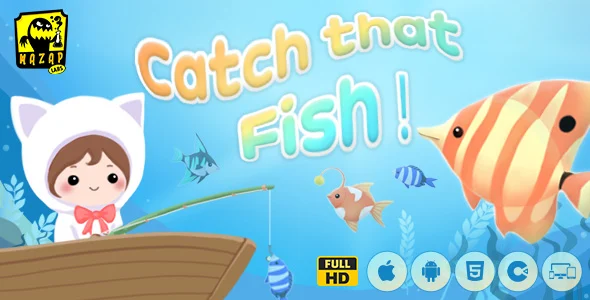
Catch that Fish Overview & Educational Game Engine
Catch that Fish is a Construct 3 HTML5 educational game built for studios, schools, and e-learning teams that need a spelling arcade playable across browsers and mobile hardware. The package addresses a recurring bottleneck in children’s learning content production: merging an engaging fishing mechanic with a measurable vocabulary objective, where players hunt the correct fish to complete assigned words and earn points before time slips away. In a delivery workflow, it operates as a self-contained web bundle that deploys to any static host and functions equally well as a classroom activity, an institutional learning station, or an embedded browser game inside an existing education portal.
Technical Specifications & Deployment Matrix
| Engineering Metric | Deployment Specification |
|---|---|
| Base Technology / Framework | Construct 3 event-sheet engine; editable .c3p project file included |
| Runtime / Engine Dependencies | HTML5 / JavaScript output running on standard browser APIs; no external framework required |
| Browser Compatibility | IE10, IE11, Firefox, Safari, Opera, Chrome, Edge |
| Render Resolution | Full HD 1920×1080 artwork |
| Input Layer | Touch, mouse, and keyboard event handling |
| Device Coverage | Mobile, tablet, laptop, and desktop form factors |
| Files Included | JavaScript JS, JSON, HTML, CSS, Layered PNG source art, .c3p editable project, game documentation, vocabulary text file |
| Deployment Target | Static file hosting on the buyer’s own server |
Word-Completion Gameplay Loop & Execution Pipeline
The core loop dispatches a target word, spawns fish carrying candidate letters, and validates each catch against the word’s open blanks before awarding score. Because the entire experience is compiled from Construct 3’s event system into a single JavaScript runtime, every gameplay rule, spawn pattern, and scoring condition lives in editable event sheets rather than hard-coded engine logic. The vocabulary layer is decoupled from gameplay: the word list resides in an external text file that the runtime consumes, which means curriculum adjustments, difficulty tuning, and language variations can be applied at the data layer without touching the interactive logic. On the presentation side, all sprites ship as layered PNG files at 1920×1080, giving artists direct access to separated art assets for re-theming, character swaps, or brand alignment.
Architectural & Functional Highlights
- Dynamic Vocabulary Pipeline: Words are added or removed through an included text file, letting educators and studios re-scope the learning content without re-authoring event sheets or re-exporting the project.
- Multi-Modal Input Handling: The input layer maps touch, mouse, and keyboard events to a single interaction contract, allowing the same build to serve mobile handsets, tablets with touchscreens, and desktop workstations with physical peripherals.
- Full HD Art with Layered Source: Graphics render at 1920×1080 with layered PNG assets included, so reskinning operations replace isolated art layers instead of flattened compositions.
- Broad Browser Matrix: The published runtime executes across IE10, IE11, Firefox, Safari, Opera, Chrome, and Edge, covering legacy institutional machines as well as current-generation browsers.
- Editable Source Architecture: The .c3p project file exposes every layout, event sheet, and behavior for modification inside the Construct 3 editor, keeping the full engineering surface accessible post-purchase.
Production Deployment & Implementation Considerations
Deployment follows a static hosting model: the published output — JavaScript, JSON, HTML, and CSS assets — is uploaded to the operator’s own server and served as a standard web page, with no backend service, database engine, or server-side runtime involved. This makes the game practical for schools, education centers, and institutions that publish content through existing web infrastructure. All word data is resolved client-side through the vocabulary text file, so the persistence footprint remains entirely within the delivered file set.
Implementation boundaries are defined by the browser matrix listed above; environments outside those engines are untested territory. The gameplay scope covers the fishing-and-spelling loop itself, and studios planning a multi-title learning catalogue will find that parallel standalone offerings on the same runtime, such as Apple Math, cover arithmetic objectives without sharing a codebase with this title.
Customization operates along three supported paths. First, the .c3p file allows direct event-sheet, layout, and behavior modification inside Construct 3 for gameplay reworks. Second, the layered PNG assets support visual reskins by swapping individual art layers while preserving composition structure. Third, the vocabulary text file enables content-level changes — new words, removed words, or re-sequenced difficulty — at the data layer. For teams assembling a broader casual arcade portfolio, Archer Hero ships with full Construct 3 source as an independent production path on the same engine family.
Frequently Asked Questions
Does the download include the editable Construct 3 project file?
Yes, the package contains the .c3p project alongside the published runtime, so every event sheet, layout, and behavior can be opened and modified directly inside the Construct 3 editor before a fresh HTML5 export is generated.
Can words be added or removed without editing the gameplay logic?
Yes, a dedicated vocabulary text file ships with the build, allowing words to be appended or deleted at the data layer; the runtime reads this list, so curriculum changes require no re-authoring of event sheets or re-testing of the interactive loop.