Call To Action for Elementor WordPress Plugin
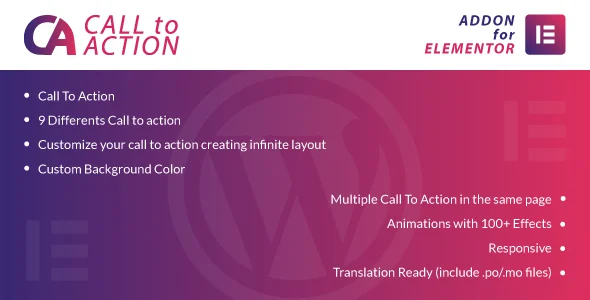
Call To Action for Elementor Overview & Widget-Layer CTA Engine
Call To Action for Elementor is a WordPress addon plugin engineered for agencies and site builders who need conversion-focused call-to-action sections inside the Elementor page builder. The module addresses a concrete production bottleneck: composing a polished CTA block from raw Elementor columns and button widgets is repetitive work, whereas this package ships nine prebuilt call-to-action structures that deploy with a single insertion into the editor canvas. Within agency delivery workflows, the codebase functions as a drop-in widget extension, letting developers assemble promotional banners, conversion prompts, and action blocks without writing custom PHP or duplicating layout markup across client projects.
Technical Specifications & Deployment Matrix
| Engineering Metric | Deployment Specification |
|---|---|
| Base Technology / Framework | WordPress plugin built from PHP, JavaScript, HTML, and CSS files as an Elementor addon |
| Runtime / Language Requirements | WordPress 5.2.x through 6.2.x on a standard PHP host |
| Browser Compatibility | IE8, IE9, IE10, IE11, Firefox, Safari, Opera, Chrome, Edge |
| Front-End / Engine Dependencies | Elementor page builder installed and activated |
| Database / Persistence Footprint | No custom database schema; widget settings are stored within Elementor document data |
These parameters define the pre-deployment audit checklist for staging servers: a supported WordPress core version, an active PHP runtime, a current browser target, and a live Elementor installation.
Widget Rendering Pipeline & Layout Composition
The addon registers its call-to-action modules as native Elementor widgets, routing all layout data through the builder’s standard document pipeline. On activation, the plugin hooks into Elementor’s widget registration cycle and exposes a dedicated CTA category inside the editor panel. When an instance is dragged onto the canvas, its configuration—background color, animation preset, and layout variant—is serialized into the page’s document structure rather than written to separate custom tables, keeping the persistence footprint aligned with Elementor’s native data model. During front-end rendering, the plugin’s PHP classes output the CTA markup while the bundled JavaScript and CSS assets apply the selected animation sequence and visual styling at page load. Because the package operates entirely inside the Elementor control framework, every rendered section remains editable, exportable, and revision-safe through the builder’s ordinary template and revision mechanisms.
Architectural & Functional Highlights
- Nine Prebuilt CTA Structures: Each layout variant arrives fully composed inside the widget, letting teams insert a production-ready call-to-action block in one click instead of hand-building columns, buttons, and typography hierarchies for every client engagement.
- 100+ Animation Effects: Entry animations are dispatched by the package’s front-end JavaScript layer, applying motion transitions to CTA elements during viewport entry without requiring server-side changes or extra markup in the theme.
- Infinite Layout Customization: Custom background color controls and per-instance styling options allow developers to derive unlimited layout permutations from the nine base structures, all managed through Elementor’s native control interface.
- Multi-Instance Rendering: Multiple call-to-action widgets can operate on the same page simultaneously, each maintaining an independent configuration state within the document payload.
Teams assembling complete conversion pages on the same Elementor runtime often position Wiloke Testimonials Addon for Elementor as the parallel widget for social-proof sections, keeping CTA and testimonial modules inside a single builder workflow.
Production Implementation & Operational Resilience
Deployment in agency staging and production environments follows a minimal sequence: verify a WordPress 5.2.x–6.2.x host running a current PHP release, confirm the Elementor builder is active, then load the addon through the standard WordPress plugin installer. The module performs no custom schema writes and registers no background cron routines, so its operational surface stays confined to widget registration, asset enqueueing, and front-end markup rendering. Script and stylesheet loading follows the standard WordPress enqueue API, which keeps the package compatible with common caching and minification pipelines used on high-traffic client sites.
Browser coverage spans legacy IE8 through IE11 plus current Firefox, Safari, Opera, Chrome, and Edge builds, and all layout output is responsive, adapting section geometry across viewport breakpoints. For secondary development, the customization boundary is defined by the widget control set: background colors, animation presets, and layout variants adjust through the editor without source edits, while deeper visual changes are best applied through scoped CSS overrides in a child theme rather than patching the addon’s PHP classes, so client-specific styling survives future updates. Deliveries that combine conversion sections with storefront logic commonly run this package next to WooCommerce Products Revolution Tab for Elementor WordPress Plugin, which supplies dynamic, filterable product tabs as a separate Elementor extension on the same runtime.
Frequently Asked Questions
Is the plugin optimized for the Gutenberg block editor?
No, the package targets the Elementor page builder exclusively. Gutenberg optimization is not implemented, so call-to-action sections should be composed inside Elementor documents rather than native WordPress block editing contexts.
Does the front-end output support high-resolution displays?
Yes, the addon ships with high-resolution support. Rendered CTA elements are prepared for sharp display on high-density screens, so agencies can deliver client sites without writing separate retina-handling code into the widget output.
Are .po and .mo translation files included in the downloadable package?
Yes, both file types ship with the addon. Strings are exposed through the standard gettext workflow, so translators can generate locale-specific catalogs and load them without modifying the plugin’s PHP source files.
Can the widget be used on a site where Elementor has been deactivated?
No, the nine call-to-action layouts register only through Elementor’s widget system. If the builder is deactivated, the modules cannot be inserted, edited, or managed, since widget registration depends on an active Elementor installation.