Box Message – Addons for WPBakery Page Builder WordPress Plugin
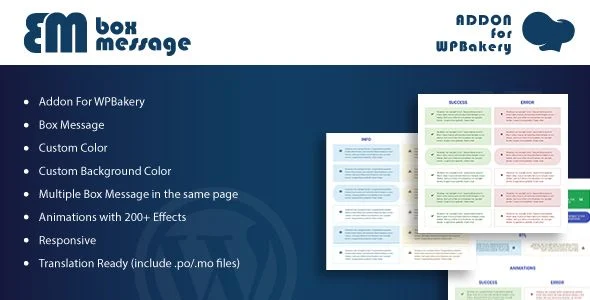
Box Message for WPBakery Page Builder Overview & Front-End Element Architecture
Box Message for WPBakery Page Builder is a WordPress builder extension that lets agencies and freelance developers insert styled notification and callout blocks into any WPBakery-composed layout through one-click element placement. The module resolves a concrete production bottleneck: the native WPBakery element set ships no dedicated message-box component, which historically forced developers to hand-write HTML markup, inline CSS, and animation scripting for every alert or notice. Within agency delivery workflows, this package functions as a drop-in visual element that standardizes callout construction across client builds while keeping page composition entirely inside the builder’s drag-and-drop pipeline.
Technical Specifications & Deployment Matrix
| Engineering Metric | Deployment Specification |
|---|---|
| Base Technology / Framework | WPBakery Page Builder content element extension (PHP, JavaScript, HTML, CSS) |
| Runtime / Version Requirements | WordPress 5.0.x through 6.2.x on a standard PHP server environment |
| Data Exchange Mechanism | Builder parameters serialized as WordPress shortcodes and expanded during content rendering |
| Front-End Engine Dependency | WPBakery Page Builder for WordPress must be installed and active |
| Database / Persistence Footprint | No custom database tables; ships with .po/.mo translation files and high-resolution assets |
Shortcode-to-DOM Rendering Pipeline & Core Capabilities
Box Message registers itself as a native content element inside the builder’s shortcode mapping layer, exposing its configuration controls directly in the edit modal. Once a developer drags the element onto the canvas, the modal collects parameters — foreground color, background color, animation selection, and message content — and serializes them into standard WordPress shortcode syntax stored within the post content record. On the front end, WordPress parses that shortcode during the content render pass, where the extension’s PHP class expands it into semantic HTML markup carrying per-instance color values in its stylesheet output. The bundled JavaScript then applies one of more than 200 predefined animation effects as the element enters the viewport, giving each notice an entrance sequence without external animation dependencies.
Because every rendered instance carries an independent parameter set, a single page can host multiple box messages with distinct colors, backgrounds, and animation timings without selector collisions. The element’s assets are scoped to its own class namespace, so page-level stylesheets and theme CSS remain untouched. For layout builds that combine notification blocks with carousel content, the same builder pipeline also accommodates Slick Slider Addon for WPBakery Page Builder, which registers slider elements through the builder’s identical element registration mechanism.
Core Technical Capabilities of Box Message for WPBakery Page Builder
- Parametric color control: Custom foreground and background color values are captured as builder attributes and compiled into per-instance styling, eliminating the need for hand-written CSS in child themes.
- 200+ animation effects: A bundled animation library triggered by the included JavaScript applies entrance motion when the element intersects the viewport, covering fade, slide, zoom, and specialty motion classes.
- Multiple instances per page: Each shortcode render is self-contained, allowing several message boxes with conflicting visual configurations to coexist on one document without style leakage.
- Translation-ready string layer: Packaged .po/.mo files let localization teams translate interface strings for multi-language deployments without modifying the PHP source.
- Responsive high-resolution output: Front-end markup adapts to mobile viewports and renders crisply on high-DPI displays, per the documented high-resolution compatibility flag.
Production Implementation & Operational Resilience
In agency staging and client production environments, the extension presents a low-risk deployment profile: it creates no custom database tables, registers no background cron routines, and exposes no additional REST endpoints, so activation consists of file deployment plus standard WordPress plugin bootstrapping. The hard prerequisite is a functioning WPBakery Page Builder installation; without that engine present, the element never appears in the builder’s component list, and shortcodes stored in legacy content simply render as inert text rather than throwing fatal errors. This failure mode is graceful by design, which matters when migrating content between environments where the builder has not yet been provisioned.
Because the deliverable includes raw JavaScript, CSS, PHP, and HTML source files, senior developers can audit the full payload, override styling through a child theme’s stylesheet, or replace animation definitions without touching obfuscated code. Output is validated against a browser matrix spanning IE9 through IE11, Firefox, Safari, Opera, Chrome, and Edge, keeping legacy corporate intranet projects inside the supported envelope. One operational boundary deserves emphasis: the module is not optimized for the Gutenberg block editor, so teams building exclusively with core blocks should treat it as out of scope. For teams assembling complete commerce storefronts within the same builder environment, WC Builder Pro supplies the WooCommerce product-template design layer that complements notification elements on shop pages. Styling customization is best confined to CSS overrides and color parameters rather than modifying the element’s PHP registration directly, since that preserves upgrade compatibility.
Frequently Asked Questions
Does Box Message for WPBakery Page Builder function without the WPBakery Page Builder plugin installed?
No, the documentation explicitly lists WPBakery Page Builder for WordPress as a required dependency, meaning the element only appears and renders when the builder engine is active on the site.
Is the extension optimized for the WordPress Gutenberg block editor?
No, the compatibility matrix marks Gutenberg optimization as not supported, so the element’s insertion workflow and rendering pipeline are designed exclusively around the WPBakery builder environment.
Can the message box element be inserted without writing HTML or CSS code?
Yes, the documented one-click insertion flow lets developers add a message box directly from the builder interface, with colors and animations configured through visual parameter controls rather than manual markup.
Does the front-end output support legacy Internet Explorer browsers?
Yes, verified compatibility extends from IE9 through IE11 alongside Firefox, Safari, Opera, Chrome, and Edge, which keeps older enterprise browser environments within the supported rendering matrix.