Android Single TV App (Live Streaming, Chromecast) with Admob
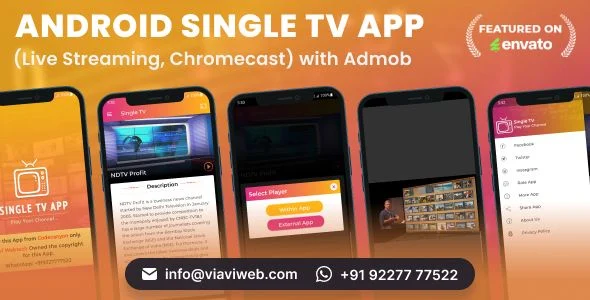
Android Single TV App Overview & Single-Channel Streaming Architecture
Android Single TV App is a native Java source package for Android, engineered for solo developers and app agencies to deploy a single-channel live television client on consumer handsets. The codebase collapses the recurring integration burden of wiring a media engine, three ad networks, and GDPR consent gating into one project by shipping Exo Player playback, AdMob/Facebook/Wortise ad units, and a UMP-based consent module already connected. Within a delivery workflow, it operates as the deployable client layer: point the configuration at one m3u8 or mp4 stream, compile in Android Studio, and publish a monetized channel application to Google Play.
Technical Specifications & Deployment Matrix
| Engineering Metric | Deployment Specification |
|---|---|
| Base Technology | Native Android, Java and XML sources; Android Studio project only (Ladybug Feature Drop 2024.2.2 Patch 2 recommended) |
| SDK Targets | targetSdk 35; runtime compatibility span from Android 9.0 through Android 15.0 |
| Media Engine | Google Exo Player (Vitamio removed since 2019), 64-bit compatible |
| Streaming Protocols & Containers | HLS via m3u8 live URLs, mp4, mkv, m4v, mov, flv, avi, rmvb, rm, tp at 720p/1080p |
| Monetization & Telemetry Layer | AdMob banner and interstitial, Facebook Audience Network, Wortise, Firebase Analytics, UMP Consent SDK |
| Deliverables | Full Android source code (.java, .xml, HTML) plus documentation with screenshots |
Playback Pipeline & Monetization Execution Flow
The playback pipeline routes a single configured stream URL through Exo Player, which handles demuxing, decoding, and surface rendering natively on the device. Before buffering begins, a network availability check intercepts connectivity loss and prevents the player from entering an undefined stall state. User interaction is dispatched through play and pause controls bound to the streaming session, while a Navigation View drives screen traversal and a responsive layout adapts across device form factors. Right-to-left locale mirroring is handled at the layout level, so Arabic and Hebrew deployments inherit correctly flipped interface hierarchies without reworking view structures.
Monetization runs as a parallel event channel to the media session. Banner and interstitial units are wired for three networks — AdMob, Facebook, and Wortise — with an on/off toggle that lets a build suppress ad delivery entirely for markets or clients where monetization is disabled. In GDPR jurisdictions, the UMP Consent SDK gates ad requests behind a user consent decision before any identifier is transmitted. Firebase Analytics instruments session and playback events for post-launch funnel analysis. On the delivery side, Chromecast support performs receiver discovery on the local Wi-Fi network; once a Cast device answers, a cast button is injected into the interface and playback handoff is limited to m3u8, mp4, and http streams. For studios weighing separate standalone Android builds in the same monetization category, Commando Shooting (Admob + GDPR + Android Studio) ships as an independent game template with a parallel AdMob-plus-GDPR configuration surface.
Core Technical Capabilities of Android Single TV App
- Multi-format decoding via Exo Player: the engine resolves m3u8, mp4, mkv, m4v, mov, flv, avi, rmvb, rm, and tp containers at up to 1080p, removing per-format player swaps that older Vitamio-based builds required.
- Tri-network ad mediation with consent gating: banner and interstitial inventory can rotate across AdMob, Facebook, and Wortise, with UMP consent enforced before ad identifiers leave the device in EEA regions.
- Conditional Chromecast route discovery: the Cast control renders only after a receiver is detected on the active Wi-Fi network, keeping the interface free of dead controls in non-Cast households.
- Connectivity-aware playback state: a pre-flight network check validates connectivity before stream buffering, enabling predictable error presentation instead of silent decoder timeouts.
Production Implementation & Operational Resilience
Deployment follows the standard Android release path: open the Gradle project in Android Studio Ladybug 2024.2.2 Patch 2, verify targetSdk 35 resolution, replace the stream URL and ad unit identifiers in configuration, then produce a signed release bundle for store submission. The included documentation, annotated with screenshots, walks through each configuration touchpoint, which shortens onboarding for developers inheriting the project mid-engagement. Because the deliverable is full source rather than a compiled artifact, secondary development is unrestricted within the Java and XML layers: the stream endpoint, ad unit mappings, layout resources, and navigation structure are all directly editable. Operational boundaries worth planning around include the Chromecast format restriction — containers beyond m3u8, mp4, and http will not cast, so agencies delivering mkv or avi sources should limit those to local playback — and the Cast button’s visibility behavior, which depends entirely on receiver presence rather than app state. Analytics coverage through Firebase means playback drops and session patterns can be audited after launch without adding a separate instrumentation pass. For teams assembling a broader multi-app portfolio on the same native Android toolchain, Women Lose Weight & Water Reminder exists as an unrelated Kotlin utility template for the fitness vertical.
Frequently Asked Questions
Does the Chromecast control render even when no receiver is present on the network?
No — the Cast button is injected only after a Chromecast device is discovered on the current Wi-Fi network; without a connected receiver, the control remains hidden rather than appearing as an inactive element.
Can the project be compiled in Eclipse or any IDE other than Android Studio?
No — the package is delivered as an Android Studio project exclusively, with the current build chain verified against Android Studio Ladybug Feature Drop 2024.2.2 Patch 2 and targetSdk 35.
Does Chromecast casting cover every container the local player can decode?
No — casting supports m3u8, mp4, and http streams only, while local Exo Player playback additionally handles mkv, m4v, mov, flv, avi, rmvb, rm, and tp formats at HD resolutions.
Does the deliverable include written setup material alongside the source files?
Yes — the package contains the full Android source code plus a documented setup guide with screenshots covering stream configuration, ad unit placement, and consent handling.
FIFA World Cup 2022 Qatar Live – Streaming, Goals & News with Realtime Firebase – Full App
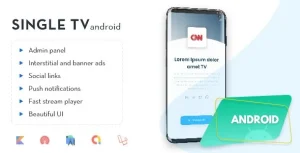
Single TV | Single channel Streaming App with Admin Panel.
Surah Ya-Sin | Islamic Single Surah App for Muslims