AI Tools – WordPress Chatbot, Content Writer, Image Generator
AI Tools WordPress Plugin Overview & Autonomous Content Engine
AI Tools WordPress Plugin is an OpenAI-driven content production engine for WordPress, built for agencies and site administrators who need automated article writing, conversational chatbot deployment, and text-to-image generation inside one admin interface. It removes the operational bottleneck of commissioning human writers for high-volume routine publishing by routing topic prompts, tone directives, and style parameters through GPT-3, GPT-3.5-turbo, and GPT-4 endpoints. In agency delivery workflows it operates as an autonomous publishing pipeline: generated drafts enter the native WordPress post system, DALL-E imagery attaches to articles, and WooCommerce product descriptions are written directly into the commerce data layer.
Technical Specifications & Deployment Matrix
| Engineering Metric | Deployment Specification |
|---|---|
| Base Technology | WordPress plugin (PHP, JavaScript, HTML, CSS, XML) built on the OpenAI GPT-3 / GPT-4 and DALL-E APIs |
| Runtime Requirements | WordPress 5.4.x through 6.0.x (tested up to 6.2); Firefox, Safari, Opera, Chrome, Edge |
| Communication Protocols | OpenAI REST calls with configurable timeout settings; background cron queue for scheduled jobs |
| Front-End Dependencies | Elementor, Elementor Pro, WPBakery, Beaver Builder, Visual Composer, Block Editor, BuddyPress, bbPress, WooCommerce 5.x–6.x, WPML, Gravity Forms, Easy Digital Downloads |
| Persistence Footprint | WordPress posts, taxonomies, media library, credit system records, and a debug logger for API diagnostics |
OpenAI Request Pipeline & Content Generation Mechanics
The plugin forwards validated prompts to OpenAI endpoints and writes returned completions into the WordPress post pipeline. An administrator supplies a topic, selects from more than ten writing style presets, picks a working language, and can modify the proposed heading before generation starts. The request payload then travels to the configured model — GPT-3 for baseline completions, gpt-3.5-turbo for conversational output, or GPT-4 selected in the general settings panel — after which the returned text is assembled with a switchable sentence buffer and optional introduction blocks. For scheduled and bulk jobs, a cron queue processes each queued title with per-item category assignment, and failed fine-tune models are filtered out of the selection list. An RSS feed generator extends the input layer by converting external feed entries into prompt sources, so niche editorial deployments — for example a portal running the Horoscope and Astrology WordPress Theme With AI Content Generator — can keep lifestyle and horoscope columns populated without manual drafting. The plugin also ships AI Forms and a Tools module covering summarization, paraphrasing, rewriting, and title generation inside the paragraph block of the editor.
Core Technical Capabilities of AI Tools WordPress Plugin
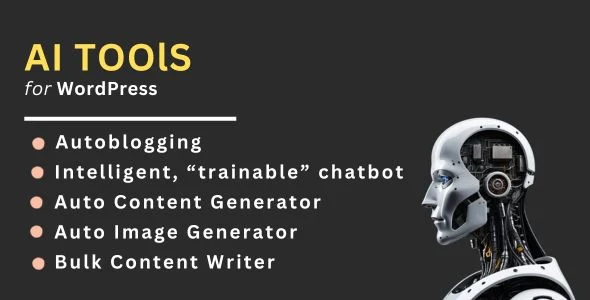
- Bulk & Scheduled Writer: A cron-driven queue processes multiple titles in sequence, supports category selection for single titles drawn from the full title list, and generates DALL-E images for each bulk or scheduled post, with a remove button for clearing queued jobs.
- DALL-E Image Generation: Each article’s text description is passed to the image generation system, which returns a corresponding visual asset attached to the generated content — eliminating separate stock photography workflows.
- Frontend Generator & Credit System: The
[momo_add_content_generator]shortcode exposes generation to non-admin users, metered by an internal credit system; editorial communities that also let members publish their own submissions can run this alongside Foot – Grid Front-End Submission Content Sharing as a parallel curation layer. - Chatbot & Language Coverage: The chatbot module runs on gpt-3.5-turbo with GPT-4 (beta) support and in-admin helper text, while the writer produces output in Chinese, Japanese, Korean, Polish, Portuguese, Italian, Russian, French, and English.
Production Implementation & Operational Resilience
Because every generation pass depends on third-party OpenAI API responses, the plugin exposes timeout settings for each API call and a debug logger that records request outcomes for diagnosing slow or failed completions in client staging environments. The cron queue operates as the resilience boundary for batch workloads: administrators monitor queued jobs and remove entries individually when a client changes scope mid-run, preventing orphaned API calls from consuming quota. Extension surface is explicit rather than implied — action hooks are placed in the admin page tabs, and the momo_acg_add_data_to_admin_locale filter allows developers to inject additional localized data into the admin JavaScript runtime without patching core plugin files. Secondary development should target these hook points rather than modifying the bundled PHP, JavaScript, and XML assets directly, since upgrades replace the plugin directory.
On the commerce side, the general WooCommerce product description generator writes copy straight into product records, which matters for catalog-scale stores running thousands of SKUs. Merchants operating physical checkout lanes in parallel with AI-written online product pages can deploy Openpos – WooCommerce Point Of Sale(POS) to keep in-store and web inventory synchronized while the plugin handles description volume. Builder compatibility spans Elementor, WPBakery, Beaver Builder, Visual Composer, and Cornerstone, and WPML support covers multilingual deployments; note that the listing marks the plugin as not Gutenberg-optimized, so block-editor work is limited to the paragraph block tools described above rather than full native block integration.
Frequently Asked Questions
Does the bulk and scheduled writer assign categories and images to each generated post?
Yes. Version 3.2.0 added image generation for bulk and scheduled content plus per-post category selection, and the cron queue includes a remove button for clearing jobs before they execute.
Can non-admin users run content generation from the site front end?
Yes. The [momo_add_content_generator] shortcode, added in version 3.3.0 together with the credit system introduced in 3.0.0, exposes the generator to front-end users with metered usage.
Is the plugin fully optimized for the Gutenberg block editor?
No. The official listing marks Gutenberg optimization as not applied, although the plugin does provide paragraph block tools for summarization, paraphrasing, rewriting, and title generation within the block editor.
Does the chatbot module support GPT-4?
Yes. GPT-4 was added in beta to the chatbot and ChatGPT modules in version 3.4.0, and version 3.4.1 made the GPT-4 model selectable in the general settings for the Auto Content Generator.