
 My Account
✅ Product Overview
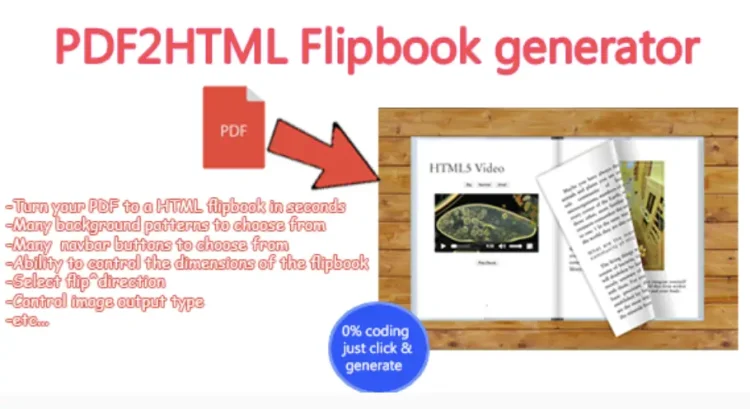
Advanced PDF to HTML Flipbook generator is a robust WordPress plugin transforming static PDF documents into interactive, page-flipping digital publications. This generator suits anyone needing to present catalogs, brochures, magazines, or reports with an engaging, book-like interface directly on their website, catering to publishers, marketers, and educators.
The process starts by uploading your PDF via the WordPress media uploader. Navigate to the plugin’s dedicated dashboard menu. The clean interface allows selecting your PDF and configuring display settings. Controls for page-turning animations, navigation, and sound effects enable a tailored user experience.
✅ Highlights & Value
The plugin’s true value lies in the engaging user experience it creates, moving beyond basic PDF embeds. It makes content accessible and enjoyable on any device.
- Smooth Page Transitions: Pages turn with fluid animation, mimicking a physical book.
- Mobile Responsiveness: Flipbooks adapt automatically to screen sizes, ensuring readability across all devices.
- Customizable Controls: Enable/disable features like zoom, print, download, and share buttons within the viewer.
- PDF Link & Bookmark Support: Internal links and bookmarks within your original PDF automatically convert and remain clickable.
✅ Real-World Use Cases
The Advanced PDF to HTML Flipbook generator offers versatile applications, ensuring content not only looks good but serves practical purposes across various industries.
- Online Catalogs: Present product lines with an interactive, browsable format, encouraging exploration.
- Digital Magazines & Brochures: Deliver engaging editorial or promotional materials directly on your site.
- Educational Materials: Convert textbooks, lesson plans, or research papers into easily digestible, interactive resources.
- Company Reports: Share annual reports or whitepapers professionally, more dynamically than static PDFs.
✅ Technical & Compatibility
When working with the Advanced PDF to HTML Flipbook, the initial setup involves uploading your PDF via the media library, then selecting it in the plugin’s interface. Define dimensions, choose fullscreen or embedded display, and select navigation styles. Shortcode generation is automatic; copy and paste it into any post, page, or widget area.
The generator efficiently processes larger PDFs, converting them into smooth, browser-friendly flipbooks without significant load times. It integrates well with most modern WordPress themes and standard page builders. I’ve successfully used it with Elementor and Gutenberg blocks by pasting the generated shortcode. Performance is solid, with conversion times typically quick for average documents.
✅ FAQ & Tips
A common question regarding the Advanced PDF to HTML Flipbook generator involves embedding. To place a flipbook, copy the plugin-provided shortcode after configuration and paste it into your desired post, page, or text widget. For full-width presentations, it works best within a dedicated section or column in your page builder, allowing the flipbook to expand without conflicts.
Practical tip: optimize your original PDF for web viewing before uploading. Compress images and remove unnecessary metadata. This significantly reduces the final flipbook’s file size and improves loading speed. The plugin handles conversion efficiently, but starting with a lean PDF makes a noticeable difference in user experience.






There are no reviews yet.