20 EDUCATIONAL GAMES – SUPER BUNDLE HTML5 GAMES (Construct 2)
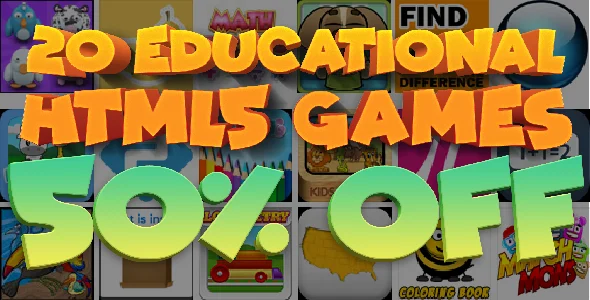
20 Educational Games Super Bundle Overview & Edutainment Delivery Architecture
20 Educational Games Super Bundle is a Construct 2 HTML5 game collection, engineered for web studios and edutainment publishers to ship twenty ready-made learning titles across desktop and mobile browsers. The package resolves the cost bottleneck of assembling a children’s learning catalog title-by-title by consolidating math drills, memory matching, coloring, sorting, puzzle, and geography gameplay into a single deliverable. Within agency workflows it functions as a deployable catalog: exported HTML5 builds upload directly to a live domain, while the included CAPX project files keep every game open to sprite replacement and logic edits.
Technical Specifications & Deployment Matrix
The following matrix consolidates the verifiable runtime parameters documented for this package.
| Engineering Metric | Deployment Specification |
|---|---|
| Base Technology / Framework | Construct 2 project engine; editable CAPX source files |
| Runtime / Language Requirements | JavaScript, HTML, and CSS; no server-side language involved |
| Browser Compatibility | IE10, IE11, Firefox, Safari, Opera, Chrome, Edge |
| Display Output | High-resolution HTML5 canvas rendering |
| Deliverable File Set | JavaScript JS, HTML, CSS, CAPX projects, written documentation |
| Persistence Footprint | Fully client-side execution; no database dependency documented |
Construct 2 Event Engine & HTML5 Rendering Pipeline
The engine compiles visual event sheets into a JavaScript runtime that renders each title on an HTML5 canvas inside the host browser. During a Construct 2 export, the project’s event logic—conditions, actions, and triggered behaviors—is serialized into the JavaScript, HTML, and CSS files delivered with the bundle. At load time the browser parses the HTML shell, fetches the game assets, and boots the compiled runtime, which then drives the canvas render loop that animates scenes, registers touch and pointer input, and evaluates gameplay conditions frame by frame. Because this loop executes entirely client-side, no backend language or database connection participates in gameplay, which keeps hosting requirements at the static-file level.
The catalog spans twenty self-contained builds covering arithmetic practice (Math Genius, Math Genius 2, Math for Kids, Freaky Math, Feed Mypetdog Number), pattern recognition and logic (Fruit Sorting Game, Match Mons, Follow the Ball, Guess How Many?, Find the Differences, Brain Games – What is inside?), memory training (Memory Game, Memes Face HTML5 Memory Game), spatial puzzles (Puzzle for kids, Kids Puzzle, Kids Puzzle Game, Locometry), creative play (Coloring book for kids, Kids Coloring Book), and geography recall (50 States Challenge). Each title runs as an independent deployment unit, so studios can publish a single game or the full catalog without coupling between builds. For teams evaluating additional single-title HTML5 additions outside this package, Egg Go – HTML5 Game operates as a standalone arcade-style deployment.
Core Technical Capabilities of 20 Educational Games Super Bundle
- Editable CAPX Source Projects: Every game ships with its Construct 2 project file, allowing developers to open event sheets, adjust difficulty parameters, and re-export fresh compiled builds on demand.
- Cross-Browser Runtime Coverage: The exported JavaScript executes across IE10, IE11, Firefox, Safari, Opera, Chrome, and Edge, covering the legacy browser versions still present in school and library IT environments.
- Asset Replacement Workflow: Image swapping is handled through the Construct 2 editor’s object properties, letting studios re-skin artwork across the catalog without touching event logic.
- Documented Codebase: The code is documented at the Construct 2 level, giving maintainers reference material for navigating each project’s event sheet structure before modification.
Production Implementation & Operational Resilience
Deployment follows a static-hosting model: the exported HTML5 folder is uploaded to any web server, and each game runs from its entry document without PHP, MySQL, or other server-side dependencies. This makes the package suitable for shared hosting plans, static file hosts, and content delivery networks alike. Studios scaling a catalog beyond these twenty titles can treat the architecture as one entry among parallel offerings; INFINITY GAMES BUNDLE supplies an independent Construct 3 collection for teams whose pipelines have moved to the newer engine generation.
For embedding, each build can sit inside an iframe on an existing site or occupy a dedicated page path. When assets are served from a separate CDN domain, response headers must permit cross-origin reads so the runtime can retrieve sprites and audio without blocked requests. Input handling layers both mouse and touch events, so the same artifact serves desktop visitors and mobile audiences from one codebase rather than forked variants.
Secondary development stays inside the Construct 2 editor: replacing images, tuning event conditions, and re-exporting builds. Because the sources are CAPX-based, an installed Construct 2 editor is the working environment for edits, and HTML5 output regenerates at export time. Teams building a math-practice portal around these titles can position Math Quiz Game as a separate drill module in the same content strategy. Error containment is per-game: a fault in one title never propagates to its siblings, since each executes within its own page context.
Frequently Asked Questions
Do I need Construct 2 installed to modify the games?
Yes. All gameplay logic resides in editable CAPX project files, so adjusting event sheets, tuning difficulty, or regenerating builds requires the Construct 2 editor present in your development environment before deployment.
Are the twenty games one merged project or separate CAPX files?
No. Each of the twenty titles ships as its own Construct 2 project with a separate compiled build, so studios can deploy or re-skin individual games without opening the rest of the catalog.
Can the games be published without re-exporting them from Construct 2 first?
Yes. The bundle ships with game demos as ready HTML5 files that can be uploaded straight to your site, so initial publishing does not require running an export pass inside the editor.
Do the builds accept touch input on mobile devices?
Yes. The games are documented to work on all HTML5 browsers and mobile devices, with input handling that covers pointer and touch interaction from one shared build per title.