
 My Account
 Product Overview
Media Manager presents a comprehensive solution for managing digital assets within an Asp.Net Core Mvc Advanced Gallery, Image, Media Manager | EF Core application. It’s designed for developers building custom web applications who need a robust, integrated system for handling images, videos, and other files directly within their MVC projects. This component serves as both a back-end media library and a front-end gallery display.
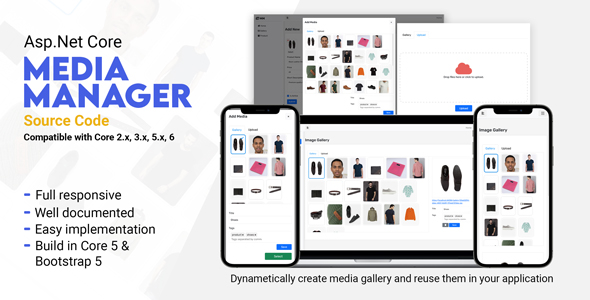
When you integrate this component, you’ll immediately notice a dedicated interface for media operations. The design offers clear navigation for folder creation and file uploads. I found the drag-and-drop upload zone particularly intuitive for bringing in multiple files at once, which then populate directly into the selected folder view, updating in real-time without a page refresh.
Highlights & Value
- Direct Codebase Control: You get the complete source code, allowing for deep customization and seamless integration into your existing ASP.NET Core MVC project structure. No black boxes here; you can adapt it to specific project needs, modify behaviors, or extend functionality as required.
- Comprehensive Media Tools: Beyond simple uploads, it includes an in-browser image editor for cropping, resizing, and rotating, which saves a separate step for basic adjustments directly within the management console.
- Structured Organization: The folder-based system for media organization is practical, mirroring standard file system logic, making it easy to categorize thousands of assets. You can create nested folders, providing a clean hierarchy for complex projects.
- Performance-Optimized Display: Features like lazy loading for galleries mean images only load when they come into view, maintaining fast page speeds even with extensive media collections, improving the user experience.
- AJAX-Powered Workflow: Nearly all operations, from file uploads to folder renames and image edits, happen without full page reloads, providing a fluid and responsive user experience that keeps the interface snappy.
Real-World Use Cases
- E-commerce Product Catalogs: Manage high volumes of product images, including multiple angles and close-ups, with efficient folder organization and quick inline editing for consistency across your product listings.
- Custom CMS Development: Integrate a powerful media library into a bespoke content management system, giving content creators an intuitive interface for all digital assets without relying on external services.
- Portfolio Websites: Develop dynamic galleries for designers, photographers, or artists, ensuring fast loading and a clean presentation of their work, with easy backend management for content updates.
- Corporate Intranets: Handle internal documents, images for company news, and training materials in a structured, searchable manner, accessible only within the secure application environment.
Technical & Compatibility
Integrating the entire Media Manager – Asp.Net Core Mvc Advanced Gallery, Image, Media Manager | EF Core involves bringing its controllers, views, and models into your existing ASP.NET Core MVC project. It’s built with Entity Framework Core, meaning its database interactions are modern and configurable. You’ll work with its provided data models, or map them to your own if needed, ensuring data consistency and smooth schema management.
When you set up Media Manager, you’ll find that its configuration is primarily done through appsettings.json and standard ASP.NET Core dependency injection. This means it slots into common project setups without requiring unusual overrides. Compatibility is excellent with modern .NET Core versions, and it handles various file types, not just images, which is useful for broader document management.
The front-end aspect of Asp.Net Core Mvc Advanced Gallery, Image, Media Manager | EF Core uses standard web technologies like JavaScript and CSS, making it straightforward to customize the appearance to match your application’s theme. The client-side logic for drag-and-drop and image editing is well-contained, so you can extend it without breaking core functionality, offering a clean separation of concerns.
FAQ & Tips
A common question with comprehensive components like Media Manager – Asp.Net Core Mvc Advanced Gallery, Image, Media Manager | EF Core is how to handle user permissions. The integration allows you to hook into your existing authentication and authorization system, enabling granular control over who can upload, edit, or delete media, which is crucial for multi-user environments.
For deployment, ensure your hosting environment supports ASP.NET Core and EF Core migrations. I’d recommend running the initial database migration locally first to verify schema creation before pushing to production. Also, remember to configure appropriate file storage paths within your appsettings.json for persistent media storage, as this dictates where all uploaded assets reside.






There are no reviews yet.