
 My Account
 Product Overview
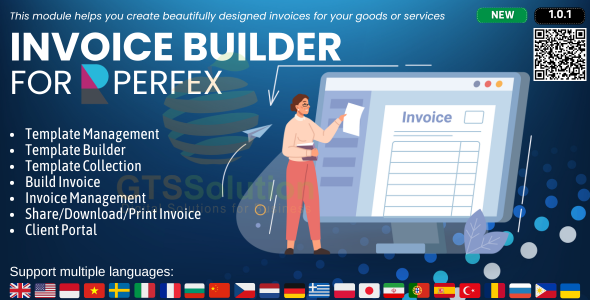
The Invoice Builder module is a specialized extension for Perfex CRM, designed to enhance how you create and manage client invoices directly within your Perfex CRM dashboard. This Invoice Builder module for Perfex CRM provides a drag-and-drop interface, making it suitable for businesses of all sizes, from freelancers to agencies, who need a more flexible and visual way to generate client billing documents. It streamlines the invoicing process, allowing users to customize layouts and content without needing advanced technical skills.
Highlights & Value
This module transforms the standard invoicing experience from static forms to a dynamic canvas.
- Drag-and-drop interface for invoice layout customization. You can move blocks like company logo, client details, item tables, and payment information directly on the canvas.
- Real-time preview updates as you make changes, showing exactly how the final PDF invoice will look. This avoids repeated saving and opening of drafts.
- Customizable fields for line items, taxes, discounts, and terms, appearing as editable zones when clicked.
- Option to save custom templates, so frequently used layouts for different client types or services are ready.
- Direct integration with existing Perfex CRM client and project data, pulling in relevant information automatically when a client is selected.
Real-World Use Cases
The practical application of this tool becomes clear when dealing with diverse client needs.
- A marketing agency can quickly adapt invoice layouts for retainer clients versus project-based work, adding specific service descriptions or project codes.
- Consultants can include detailed time tracking breakdowns from Perfex projects directly into custom sections of their invoices, presented clearly to the client.
- Businesses with international clients can easily adjust currency symbols and add specific tax or VAT details, ensuring compliance without manual text edits.
- Freelancers can create visually distinct invoices for different service tiers, reinforcing their brand identity with each bill sent.
Technical & Compatibility
The Invoice Builder module integrates seamlessly with your existing Perfex CRM installation, appearing as a new menu item or section within the CRM’s administrative interface. Accessing it usually involves navigating to the “Invoices” section and finding a “Design” or “Builder” tab. The module relies on the core Perfex CRM framework for its data management, ensuring that all created invoices are stored and linked correctly to client profiles, projects, and payment records. It generally requires Perfex CRM version 3.0 or higher to function correctly; checking specific version requirements before deployment is always recommended.
When operating, server resource impact is minimal, as most heavy lifting occurs client-side during the drag-and-drop interaction. Generated invoices are standard PDF files, ensuring wide compatibility for clients receiving them. It’s important to maintain a current Perfex CRM version for optimal performance and security. The system works well for Perfex CRM users who need flexibility in design.
FAQ & Tips
Can I customize the font and colors?
Yes, the builder typically includes options within its sidebar panel to select fonts, adjust text sizes, and set primary and secondary colors for various invoice elements, like headers, totals, and line item backgrounds.
What if I need to revert to a previous invoice design?
The system usually allows saving multiple templates, meaning you can easily switch between different custom designs. While a direct “undo history” for design changes might not be present, saving iterative versions of a template is a good practice. To fully leverage the Invoice Builder module for Perfex CRM effectively, always save your custom designs as new templates rather than overwriting existing ones.
Does it support multiple languages for invoices?
The module generally inherits language settings from your Perfex CRM. If Perfex CRM is configured for multiple languages, the builder will allow you to input invoice content in those languages, and the static labels within the builder might adapt, depending on its localization features.




There are no reviews yet.