Itemize Plus – Inventory Manage – Stock and Inventory Simple – Inventory Management App – Online
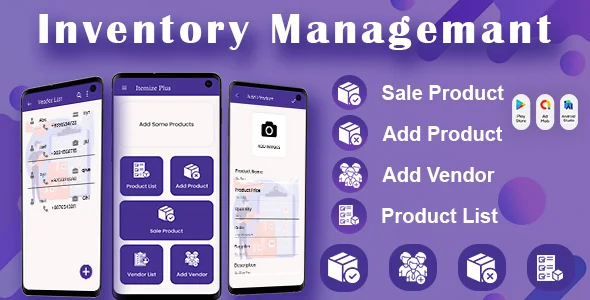
Product Overview
When you need a reliable system for managing your stock, Itemize Plus, a comprehensive Inventory Manage – Stock and Inventory Simple – Inventory Management App – Online solution, provides the tools to track items efficiently. This plugin integrates directly into your WordPress dashboard, offering a centralized platform for small to medium-sized businesses, e-commerce stores, or even personal projects that require meticulous inventory control. It’s designed for users who need to monitor product quantities, track movements, and manage suppliers without leaving their WordPress environment.
Setting up Itemize Plus begins after activation, where a new ‘Inventory’ menu item appears on the left sidebar. Clicking it reveals a clean dashboard showing overall stock levels, recent transactions, and low-stock alerts. Adding a new item involves a simple form: product name, SKU, initial quantity, purchase price, and selling price. You can also assign categories and locations, which helps immensely when you have a diverse catalog. The interface maintains a consistent WordPress admin aesthetic, making navigation intuitive for anyone familiar with the platform.
Highlights & Value
- Complete Data Control: Your inventory data resides directly within your WordPress database, offering you full ownership and the flexibility to back it up, migrate it, or access it directly as needed. There’s no reliance on external servers or subscriptions for core functionality.
- Flexible Customization: The underlying code is available for examination and modification. This means developers can extend its features, integrate with other systems, or tailor specific workflows to perfectly match unique business processes without vendor restrictions.
- Multi-Location Support: Items can be assigned to different storage locations or warehouses. When processing a transaction, a dropdown menu allows you to specify which location stock is being moved from or to, accurately reflecting real-world inventory distribution.
- Detailed Reporting: The plugin generates reports on sales, purchases, stock movements, and low stock items. These are presented in sortable tables within the admin area, with options to filter by date range, category, or location, making it easy to spot trends or discrepancies.
- User Role Management: You can assign specific permissions for inventory management tasks to different user roles. For instance, a ‘Warehouse Manager’ could have access to stock adjustments, while a ‘Sales Associate’ might only view current levels and process outgoing orders.
Real-World Use Cases
- A small online boutique uses the Itemize Plus – Inventory Manage – Stock and Inventory Simple – Inventory Management App – Online to track unique, handmade items. Each product variant is added, and stock levels automatically decrease when a sale is recorded via manual entry or a simple integration point.
- An event rental company manages their equipment availability. When a projector is rented out, its status is updated from ‘available’ to ‘rented’ and the return date is logged. Upon return, the status is easily reset.
- A local electronics repair shop tracks components like screens, batteries, and small circuit boards. They utilize the supplier management feature to reorder parts when quantities drop below a set threshold, displayed prominently on the main inventory dashboard.
Technical & Compatibility
Itemize Plus is built as a standard WordPress plugin, adhering to best coding practices. It is compatible with recent versions of WordPress (typically 5.x and above) and standard PHP environments (7.4+ recommended). The plugin stores its data in custom database tables, ensuring it doesn’t clutter existing WordPress tables. It integrates smoothly into the admin panel without noticeable performance overhead on most well-configured servers. Updates are straightforward, following the standard WordPress plugin update process, though manual backups of the database are always recommended before significant changes.
The core functionality of Inventory Manage – Stock and Inventory Simple – Inventory Management App – Online operates independently. This means it generally coexists well with other plugins, including popular e-commerce solutions like WooCommerce, though direct, deep integrations might require custom development hooks or extensions. Its modular design allows for independent operation, making it a robust standalone choice for inventory tasks within your WordPress site.

Restart Taxi & Delivery- Perfect Taxi Solution with Parcel Delivery

MyTaxi – Complete Flutter Taxi App | Full Taxi Booking Solution with Intercity & Parcel

Sticker Maker for WhatsApp – Stickers in WhatsApp – Sticker Maker-WhatsApp – Sticker Maker for WA