Merge Civilization: Empire Builder Puzzle | HTML5 Game
Product Overview
Merge Civilization is an intuitive Empire Builder Puzzle | HTML5 Game designed for seamless integration into web platforms, particularly WordPress. This asset functions as a complete, self-contained game experience, suitable for content publishers, educational platforms, or personal blogs looking to add an interactive element. It allows visitors to engage with a progressively evolving civilization through a merge puzzle mechanic directly within your page content.
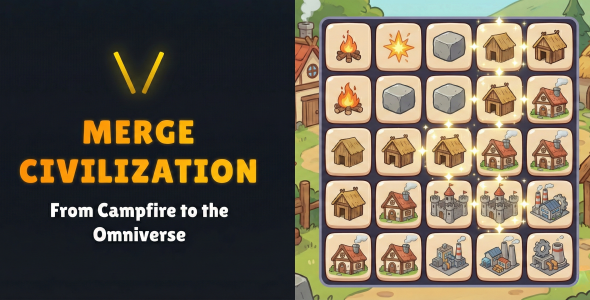
Upon embedding, the game typically renders within an iframe or a designated content block. Players start with basic elements on a grid, combining two identical items to form an upgraded version. For example, two ‘grass’ tiles might merge into a ‘shrub,’ then two ‘shrubs’ into a ‘tree,’ visibly expanding their on-screen civilization. The interface is clean, usually presenting the merge grid, a resource display, and progress indicators without cluttering the main game area.
Highlights & Value
- **Engaging Core Mechanic:** The primary gameplay loop involves dragging and dropping identical items to merge them into higher-tier resources or structures. This creates a satisfying progression as players watch their small settlements transform into bustling cities.
- **No External Dependencies:** This is a self-contained HTML5 asset. Once embedded, it operates independently, meaning no external server calls or complex API integrations are required, simplifying its deployment considerably.
- **Automatic Save Functionality:** The game typically saves player progress automatically in the browser’s local storage. This means returning visitors can pick up exactly where they left off, even if they close the tab or navigate away and return later, enhancing user retention.
- **Responsive Design:** The game scales its layout to fit various screen sizes, from desktop monitors down to mobile phones. On smaller devices, elements like resource counters might rearrange or stack vertically, but the core merge grid remains fully playable without awkward scrolling.
Real-World Use Cases
- **Content Engagement on Blogs:** Embed it directly into a blog post as a unique interactive element, encouraging longer dwell times and repeat visits for users to continue their game.
- **Educational Platforms:** Utilize its progression system to gamify learning. For instance, successfully merging elements could unlock new educational content or present quizzes.
- **Community Portals:** Offer it as a persistent mini-game for registered users, fostering a sense of community and providing a casual activity during breaks.
Technical & Compatibility
Integrating Merge Civilization: Empire Builder Puzzle | HTML5 Game into WordPress generally involves embedding the HTML5 build. This can be done via a simple iframe within a custom HTML block in the block editor, or by using a dedicated plugin that supports HTML5 game embeds. The game loads as a single HTML file with associated assets (CSS, JavaScript, images), requiring standard browser capabilities.
When I tested Merge Civilization across different browser environments—Chrome, Firefox, Safari on both desktop and mobile—the performance remained consistent. The game files are relatively lightweight, leading to quick initial load times. On mobile, touch input for dragging and merging elements works as expected, without noticeable lag or unresponsive gestures. It operates smoothly within most modern WordPress themes, avoiding conflicts with common JavaScript libraries.
For more advanced setups, you can place the game files within a custom WordPress page template, allowing for greater control over the surrounding layout and presentation. This approach ensures that the Empire Builder Puzzle | HTML5 Game loads directly into the page structure without the potential sandbox limitations of an iframe, though a simple iframe is often sufficient for most users.