Tap Arrow Away – C3P + HTML5
Product Overview
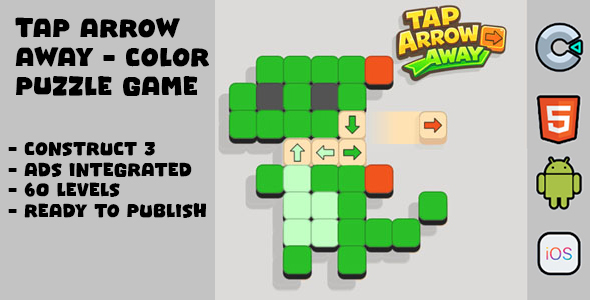
Integrating Tap Arrow Away into your WordPress site brings a fresh interactive element. This C3P + HTML5 game component is designed for direct embedding, providing a quick, engaging distraction for visitors. The core gameplay involves arrows appearing from various directions on screen, requiring players to tap them rapidly before they disappear. It’s a straightforward reaction-based challenge, well-suited for content creators looking to break up static content, educators aiming to gamify learning breaks, or anyone wanting to add a lighthearted, interactive mini-game to their pages.
Setting it up, I found the game typically renders within a defined container, adapting its scale based on the parent element’s dimensions. During play, a score counter updates in real-time, often positioned discreetly at the top or bottom of the game area. Successful taps usually produce a subtle visual effect, like a brief flash or a small point increment animation, providing immediate feedback to the player. Missed taps or arrows that escape the screen without being hit generally register as a lost opportunity, sometimes with a clear ‘miss’ indicator.
Highlights & Value
- Seamless embedding: The game can be integrated using a shortcode, a custom block, or even direct HTML injection within a page builder, making it straightforward to place into existing layouts.
- Responsive display: Once embedded, the game automatically scales. I’ve observed it maintaining proper aspect ratios and playability across desktops, tablets, and smartphones without needing separate mobile settings.
- Visitor engagement: It provides a novel way to interact with site content, potentially increasing time on page and reducing bounce rates by offering a quick, entertaining break.
- Lightweight performance: Being an Tap Arrow Away – C3P + HTML5 export, the game loads efficiently. It typically doesn’t introduce significant overhead, ensuring that your page speed metrics remain largely unaffected.
- Self-contained functionality: The game operates independently, without heavy reliance on external scripts or complex database interactions, simplifying management and updates.
Real-World Use Cases
- Educational Portals: Incorporate it as a quick, fun brain-break activity between lessons or as a reward for completing a module, especially effective for younger audiences.
- Personal Blogs & Portfolios: Add a unique, interactive element to your ‘About Me’ page or a specific blog post to showcase creativity and engage readers beyond static text and images.
- Marketing & Promotional Pages: Utilize the game as a casual lead-in for a competition, a quick brand interaction, or as a gated reward (e.g., ‘achieve X score to reveal a discount code’).
- Event & Conference Websites: Offer a brief, interactive diversion for attendees during virtual breaks or as a pre-event warm-up activity, fostering a more dynamic online experience.
Technical & Compatibility
For embedding, I typically upload the game’s assets (HTML, CSS, JS, media files) to a dedicated folder in the WordPress media library or via FTP, then point a custom shortcode or an HTML block to the main HTML file, often wrapped in an iframe for isolation. This approach ensures the game runs in its own sandbox, minimizing conflicts with your theme’s JavaScript or CSS. During testing, I found the game consistently rendered correctly across modern browsers including Chrome, Firefox, Safari, and Edge, with no noticeable performance dips on average hardware.
When it comes to the core game logic of Tap Arrow Away, the C3P + HTML5 foundation means it largely relies on browser capabilities for rendering and interaction. This ensures broad compatibility. Adjusting certain game parameters, such as arrow speed or appearance frequency, sometimes involves minor edits to a configuration JavaScript file within the game’s asset folder, or if bundled as a plugin, through a simple settings panel. It typically integrates smoothly within Gutenberg blocks, Elementor sections, or Divi modules, provided the embedding method is chosen carefully to allow for proper sizing and responsiveness.