
 My Account
 Product Overview
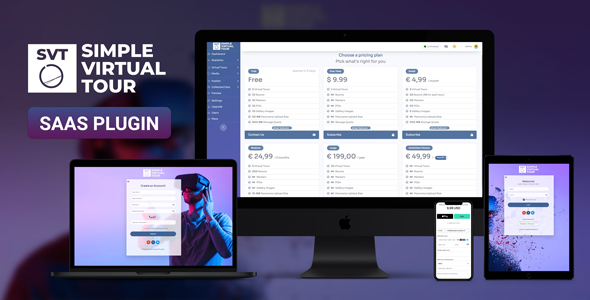
The Simple Virtual Tour is a specialized WordPress plugin designed for agencies, real estate professionals, and businesses to create and manage interactive 360-degree virtual tours directly from their WordPress dashboard. It operates as a SaaS Plugin, allowing you to offer virtual tour creation as a service to clients, complete with user management and subscription features.
Once installed, you’ll find a new ‘Virtual Tours’ menu item in your WordPress admin sidebar. Clicking it opens a clean dashboard where you can see all existing tours at a glance, create new ones, and manage client accounts if you’re leveraging its SaaS capabilities.
Highlights & Value
- Intuitive Tour Builder: The tour builder, accessible via a dedicated ‘Edit Tour’ button next to each tour in the list, presents a visual editor. You upload your panoramic images here, then simply drag circular hotspot icons onto the image to link scenes or embed content. The interface updates instantly as you place elements.
- Flexible Hotspot Functionality: Hotspots aren’t just for navigation; you can configure them to display text, images, videos (YouTube/Vimeo), or even custom HTML when clicked. This flexibility really enhances the interactive experience, letting you add detailed information or multimedia elements directly within the tour.
- Integrated Client Management: For the SaaS aspect of the Simple Virtual Tour – SaaS Plugin, you can easily register clients who get their own sub-accounts. Each client then logs into a simplified dashboard where they can manage only their tours, without seeing your master admin settings or other client data.
- Extensive Customization Options: Within the tour settings, you can easily change the loading screen background, add a custom logo, and control the viewer’s navigation options like zoom, autorotation, and gyroscope support for mobile devices. These options are presented clearly with toggles and color pickers.
Real-World Use Cases
- Real Estate Listings: A real estate agent could quickly create a full house tour, linking rooms and adding property details, floor plans, or agent contact info via interactive hotspots, making property viewing accessible remotely.
- Hospitality & Venues: Hotels, resorts, or event venues can showcase their facilities, from lobbies to suites and amenities, providing an immersive preview for potential guests or event planners to explore spaces before booking.
- Education & Campus Tours: Schools or universities might use it for virtual campus tours, guiding prospective students through different departments, lecture halls, and facilities, which is especially useful for remote admissions processes.
- Galleries & Showrooms: Artists or institutions can curate virtual exhibitions or product showrooms, allowing visitors to ‘walk through’ and view artworks or products with accompanying descriptions, pricing, or purchase links.
Technical & Compatibility
The plugin integrates smoothly with standard WordPress installations. It requires PHP 7.4 or higher and a reasonable amount of server memory for processing panorama images, which is standard for most modern hosting environments. The setup process is straightforward, following typical WordPress plugin installation steps.
On the front end, tours generated by the Simple Virtual Tour render reliably across modern browsers including Chrome, Firefox, Safari, and Edge. Mobile responsiveness is well-handled; tours adapt to screen size, and gyroscope controls engage automatically on compatible mobile devices, offering an intuitive viewing experience without extra configuration for the end-user.
FAQ & Tips
Uploading Panoramas: The system accepts standard equirectangular panoramic images. You’ll see a live preview directly in the builder after upload, making it easy to confirm orientation and ensure your horizon line is level before proceeding.
Embedding Tours: Once a tour is built, you get a shortcode. Just paste this shortcode into any page or post content area, and the tour will display beautifully within your content, resizing dynamically to fit the available space on any device.
Subscription Management: For those leveraging the SaaS Plugin aspect of the Simple Virtual Tour – SaaS Plugin for client services, the built-in subscription management allows you to define different plans, track client usage, and manage their access levels and tour limits directly from the admin panel, providing a comprehensive service offering platform.






There are no reviews yet.