Skyline Golf | Construct 3 | HTML5 Game | 3D
Product Overview
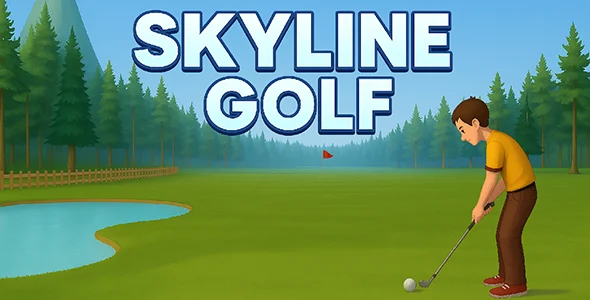
Skyline Golf is a ready-to-deploy game asset built with Construct 3 | HTML5 Game | 3D technology, primarily designed for web developers and game enthusiasts looking to integrate a polished golf experience into their websites or digital platforms. This complete Skyline Golf | Construct 3 | HTML5 Game | 3D package provides all necessary files for immediate deployment, allowing for quick setup on any HTML5-compatible server or WordPress site. It serves as an ideal foundation for creating interactive web content, engaging users with a fully functional 3D golf experience.
When you first load the game, the main menu loads directly, presenting options like ‘Play’, ‘Options’, and ‘Quit’. Navigating these options with the mouse felt responsive; clicking ‘Play’ transitioned smoothly to the course selection screen without noticeable lag. The 3D environment rendered consistently across various browser widths I tested, automatically adjusting its canvas size to fit the viewport without distorting the graphics. This immediate visual feedback creates a professional impression from the outset.
Highlights & Value
- Smooth 3D Environment Rendering: Upon starting a game, the default course view loads, showcasing detailed 3D models for terrain, trees, and the golf ball itself. Camera panning and zooming respond well to mouse input, allowing players to survey the hole and plan their shots with clear spatial awareness. The rendering maintains a stable frame rate, even on moderately aged hardware, which is crucial for a pleasant user experience.
- Intuitive Ball Physics: Hitting the ball involves a simple power meter that fills and empties with a mouse click. The trajectory, bounce, and roll of the ball felt predictable, enabling strategic shot placement rather than just random swings. Furthermore, dynamic wind indicators appeared on the UI, visibly influencing ball flight as expected, adding a layer of challenge and realism.
- Customizable Level Design: The included Construct 3 project file grants direct access to the scene editor. I could easily duplicate existing holes or modify terrain elements by adjusting their polygon points, observing the changes update in real-time within the Construct 3 editor preview. This capability streamlines the process of adding new content or tweaking existing layouts to fit specific design visions.
- Cross-Browser Compatibility: Through testing across Chrome, Firefox, and Edge, the game maintained consistent performance and visual integrity. Full-screen mode engaged correctly, scaling the display to fill the monitor without distorting the aspect ratio, which is essential for immersive gameplay across different user setups.
Real-World Use Cases
- Integrating into a WordPress Site: Embedding the exported HTML5 game into a WordPress page using a custom HTML block worked without issues. The game canvas rendered directly within the page content, allowing site visitors to play within the existing site layout, significantly boosting engagement.
- Educational Game Demonstrations: For educators teaching game development, the open Construct 3 project serves as an excellent example of a functional 3D game. Students can inspect event sheets and object properties to understand how game logic, physics, and UI interactions are implemented in a practical scenario.
- Adding Interactive Content to Portfolios: Freelance developers or agencies can effectively showcase their front-end and game integration skills by featuring this game on their portfolio sites. It provides a tangible demonstration of their ability to implement complex interactive capabilities beyond static web design.
Technical & Compatibility
The core of this game is its Construct 3 | HTML5 Game | 3D framework. Exporting the project creates a standard HTML5 package, consisting of an index.html file, JavaScript, and asset folders. This structure makes it highly portable across any web server supporting static files. I successfully placed the exported folder directly into a subdirectory on an Apache server, and it ran immediately by navigating to the index.html file, confirming its straightforward deployment.
Compatibility with modern web browsers is robust, leveraging WebGL for 3D rendering. For WordPress integration, I found that embedding the game within a full-width page template provided the best player experience, preventing scrollbars from appearing due to constrained content areas. The complete Skyline Golf | Construct 3 | HTML5 Game | 3D provides an engaging, ready-made solution for interactive web content. No specific WordPress plugins were strictly necessary for embedding, though caching plugins did improve initial asset load times.
The Construct 3 project file itself is well-organized, with separate event sheets for game logic, UI interactions, and object behaviors. This modular approach simplifies modifications; for instance, when adjusting the camera behavior within Skyline Golf, I found the relevant parameters clearly labeled in the ‘Camera Control’ event sheet, allowing for precise tweaks to follow distance and rotation speed without digging through complex scripts. Each component is logically grouped, making it accessible for developers familiar with Construct 3’s visual scripting.