Hero Match – HTML5 Game + Source Code + Level Editor | Playcanvas
Product Overview
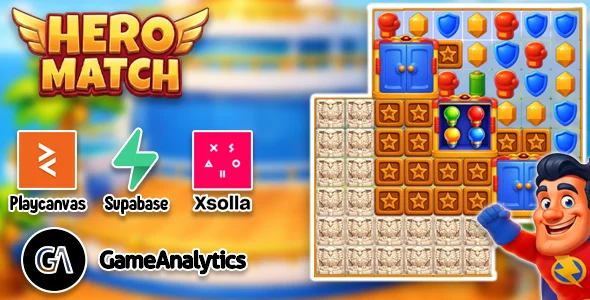
Hero Match provides a complete game package, offering a ready-to-deploy interactive experience. This HTML5 Game + Source Code + Level Editor | Playcanvas is built for web integration, making it ideal for developers and site owners looking to add engaging content or a full game to their platforms. It’s a classic match-3 puzzle game where players swap adjacent tiles to create lines of three or more identical items, clearing them from the board and scoring points.
When you initiate a game, the board populates with distinct icons. Swapping two tiles that don’t form a match results in a brief animation of them returning to their original positions. Successful matches trigger a satisfying clear animation, points increment at the top of the screen, and new tiles fall from above to fill the gaps. The included level editor allows for precise control over starting layouts and specific game objectives, moving beyond simple random generation.
Highlights & Value
- Full Source Code Included: You gain complete access to the underlying JavaScript, HTML, and CSS files. This means you can inspect every line of code, modify game mechanics, change scoring rules, or even implement new game modes. It’s a solid foundation for building custom variations.
- Integrated Level Editor: This standalone tool lets you design custom game boards visually. You can drag and drop different tile types onto a grid, define target scores, and set move limits. The editor then outputs a JSON file that the main game can load, allowing for endless custom level creation without coding.
- Responsive Across Devices: The game scales smoothly, adapting its layout and control scheme for both desktop browsers and mobile touchscreens. On smaller screens, UI elements like the score display or move counter reposition themselves to remain accessible without cluttering the main game board.
- Built on PlayCanvas Engine: Utilizing PlayCanvas ensures robust performance and web-first optimization. This engine delivers smooth animations and efficient resource loading directly within the browser, avoiding common performance bottlenecks found in less optimized web games.
Real-World Use Cases
- Educational Content Enhancement: Integrate game boards where matching specific icons corresponds to learning objectives, like pairing chemical elements or historical dates, making learning interactive.
- Branded Marketing & Promotions: Reskin the game with company logos, product images, or campaign-specific themes. Launch time-limited events or competitions to drive engagement and capture user attention on a promotional landing page.
- Monetization Opportunities: Implement in-game advertising through standard HTML5 ad networks or introduce virtual currency and power-ups that players can purchase, directly integrating with your existing website’s e-commerce solutions.
- Developer Portfolio Showcases: Use the customizable nature of the game to demonstrate your skills in game development, web integration, or creative reskinning. It serves as a strong interactive example for potential clients or employers.
Technical & Compatibility
Integrating this game into a WordPress site typically involves embedding it within an iframe or hosting the game files directly on your server and linking to the main index.html. For direct hosting, ensure your server can serve static HTML, CSS, and JavaScript files correctly. I’ve found that simply uploading the game folder to a subdirectory and accessing it via its URL works seamlessly, as all necessary assets are self-contained.
Understanding the file structure of Hero Match – HTML5 Game + Source Code + Level Editor | Playcanvas is straightforward for developers. The src folder contains core game logic, with separate subdirectories for assets like textures, audio, and fonts. Modifying a character’s sprite, for instance, means locating the relevant image file in the textures folder and replacing it, then rebuilding if necessary, or simply clearing the browser cache for immediate visual update.
Hero Match has been tested across modern browsers like Chrome, Firefox, Safari, and Edge, consistently delivering smooth gameplay. Performance remains excellent, even on moderately powered devices, thanks to the PlayCanvas engine’s optimizations. The game’s responsive design ensures that whether viewed on a desktop monitor or a smartphone, the UI adjusts to fit the viewport without distorting or clipping essential game elements.
The integrated Level Editor for this HTML5 Game + Source Code + Level Editor | Playcanvas simplifies creating new challenges. Once you open the editor, a grid appears where you click to place different tile types. Saving your custom level generates a JSON file. This file can then be loaded into the main game by simply referencing its path in the game configuration, making level expansion a highly efficient process.