Gem Dominion – HTML5 Game
Product Overview
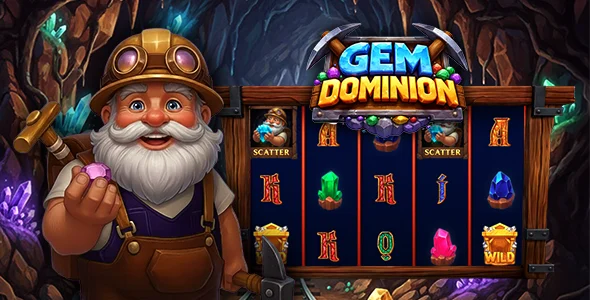
Gem Dominion is an engaging HTML5 Game designed for web-based platforms, offering a classic match-3 puzzle experience directly within a browser. This Gem Dominion – HTML5 Game provides a ready-to-deploy solution for site owners looking to add interactive content, suitable for casual gaming portals, educational platforms, or as a fun distraction on any content-rich website. The game loads directly into a web page, typically within an iframe or a dedicated HTML container, providing immediate playability for visitors.
During initial setup, the game presents a clear splash screen with options for starting a new game, accessing the level editor, or reviewing instructions. The volume controls are easily accessible from the main menu, allowing players to adjust sound effects and background music independently. When embedded, the game content adapts to its container, though precise iframe dimensions are crucial for optimal display without scrollbars appearing prematurely.
Highlights & Value
- Integrated Level Editor: The game includes a built-in level editor accessible from the main menu. Its interface allows you to define gem layouts by clicking on a grid, place special blocks, and set target scores or moves for each level. Changes are saved locally within the browser, making level creation and testing straightforward without requiring external tools.
- Persistent Scoring System: Scores are tracked locally, providing a sense of progression for individual players. While not inherently connected to a server-side leaderboard out-of-the-box, the underlying JavaScript structure provides hooks for custom integration, allowing developers to extend its functionality to a WordPress database if desired.
- Responsive Display Behavior: The game’s canvas scales fluidly within its parent container. On mobile devices, the controls remain tactile and responsive, with gem swapping registering accurately even on smaller touch targets. The layout adjusts to portrait or landscape orientations, ensuring the game board is always visible and playable.
- Configurable Settings: Within the game’s internal settings, you can adjust aspects like sound toggles and game speed. These direct controls within the game’s UI mean basic user preferences are handled client-side, enhancing the player experience without needing page reloads.
Real-World Use Cases
- Enhance Content Engagement: Embed the game on blog posts or static pages to increase visitor dwell time and provide a fun break, potentially reducing bounce rates.
- Gamified Learning Modules: For educational websites, create custom levels with specific challenges that align with learning objectives, making content more interactive for younger audiences.
- Dedicated Arcade Sections: Deploy it as the cornerstone of a simple online arcade, giving users a quick, engaging game to play without navigating away from your site.
- Promotional Campaigns: Customize gem appearances or background graphics to align with branding for specific marketing campaigns, adding an interactive element to promotions.
Technical & Compatibility
Gem Dominion includes a straightforward level editor, which uses client-side storage to manage custom game configurations. Integrating this HTML5 Game into a WordPress site typically involves embedding the game’s index.html file within an iframe or using a custom HTML block. For a seamless look, adjusting the iframe’s width and height attributes is crucial, particularly to prevent internal scrollbars from appearing if the game’s canvas exceeds the container dimensions. The game relies purely on standard web technologies like HTML5, CSS3, and JavaScript, ensuring broad compatibility across modern web browsers without requiring specific server-side languages or databases for its core functionality.
The core mechanics of Gem Dominion – HTML5 Game involve cascading matches and bonus power-ups, all rendered efficiently by the browser. Performance observations indicate that asset loading is lightweight, contributing to quick load times. The game handles browser resizing gracefully, dynamically adjusting its canvas size to fill available space, making it suitable for responsive WordPress themes. It operates consistently across Chrome, Firefox, Safari, and Edge, including their mobile counterparts, ensuring a wide audience can access and play without compatibility issues.