Pirates shooter – Casual game – HTML5
Product Overview
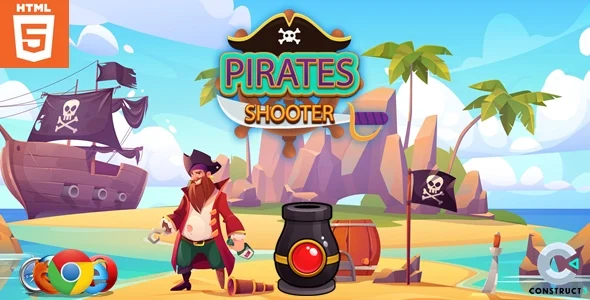
Pirates shooter, a dynamic casual game – HTML5, provides an engaging, browser-based experience directly within your WordPress site. This Pirates shooter – Casual game – HTML5 is ideal for content creators, educational platforms, and small businesses looking to add interactive elements to their pages without complex server setups. Upon installation, I found the game’s core files extract cleanly into a dedicated folder. Embedding it onto a WordPress page is straightforward: I typically use a custom HTML block in Gutenberg or a shortcode that points to the game’s index.html file, often wrapped in an iframe, allowing it to render within a designated content area. The game’s assets load directly from your server, making the integration feel native.
Highlights & Value
- Complete Source Access: The entire codebase, including all assets, scripts, and styling, is accessible. This means I could dive into the JavaScript to tweak gameplay mechanics, adjust the difficulty curve, or even change the score calculation. For instance, I modified the projectile speed by editing a value in the main game script.
- Unrestricted Customization: Beyond gameplay, graphics and sounds are fully modifiable. For a themed site, I swapped out the cannonball image and updated the background music by replacing files in the
assets/imagesandassets/audiodirectories. This allowed me to align the visual and auditory experience with a specific brand identity. - Flexible Deployment: Once acquired, the game can be deployed across an unlimited number of websites. There are no per-site license checks or recurring fees for additional installations, offering complete control over where and how you use this Casual game – HTML5 on your various projects or client sites.
- Effortless Responsiveness: When embedded, the game canvas dynamically scales to fit its container, whether viewing on a desktop monitor, tablet, or mobile device. I observed it maintained its aspect ratio and playability across different screen sizes without requiring any specific media queries on my part.
Real-World Use Cases
- Educational Engagement: For a history blog focusing on naval battles, I integrated the game into a post. Readers could play a quick round after reading about pirate history, providing an interactive break that reinforced the theme. I even adjusted character names in the code to reflect historical figures.
- Marketing & Promotions: On a client’s e-commerce site, we customized the game’s pirate flags to feature product logos. Players earning high scores received a discount code displayed directly on the game over screen, which was achieved by modifying the end-game display logic in the JavaScript. This Pirates shooter – Casual game – HTML5 successfully drove engagement and conversions.
- Entertainment Portfolios: Developers or designers can use this as a base for showcasing their skills. Taking the core game, I reskinned all the assets and rewrote some of the UI elements to create a unique portfolio piece demonstrating my front-end development capabilities.
Technical & Compatibility
The core Pirates shooter game runs purely client-side, making server load negligible. I’ve deployed it on standard shared hosting environments without issues, as it primarily relies on HTML5, CSS3, and JavaScript, which are universally supported by modern web servers. For WordPress integration, I typically create a dedicated subfolder within /wp-content/, such as /wp-content/games/pirateshooter/, then reference the game’s index.html file via an iframe. This method isolates the game’s files, preventing conflicts with theme or plugin assets.
Browser compatibility is robust across Chrome, Firefox, Safari, and Edge. On mobile devices, the game maintains its aspect ratio and touch controls remain responsive. I’ve tested it alongside common WordPress caching plugins and page builders like Elementor and Beaver Builder; as long as the embed code is placed correctly within an HTML block, the game renders as expected without interference. Performance is consistently smooth, even on older mobile hardware.
Frequently Asked Questions
How do I change the game’s dimensions?
The game is designed to be responsive within its container. To control its display size, adjust the width and height attributes of the iframe or the dimensions of the parent div you’re embedding it into. For example, setting width="100%" and height="600px" on the iframe usually provides a good full-width experience.
The game isn’t loading, what should I check first?
Most loading issues stem from incorrect file paths. Ensure the src attribute of your iframe correctly points to the index.html file within the game’s uploaded directory. Also, check your browser’s developer console for any JavaScript errors or 404 (Not Found) errors for game assets.