Super Sugar Hallucination – HTML5 Game (Construct3)
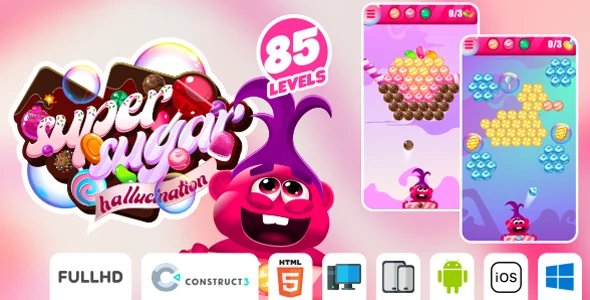
Product Overview
Super Sugar Hallucination is an engaging HTML5 Game (Construct3), specifically designed for webmasters and content creators seeking to integrate interactive entertainment onto their digital platforms. This Super Sugar Hallucination – HTML5 Game (Construct3) offers a playful, arcade-style experience where players navigate a character to collect sugar while avoiding various obstacles. It functions as a standalone web component, making it suitable for direct embedding into websites, blogs, or dedicated game portals to enhance user engagement.
The game presents a straightforward interface: a main character on screen, moving through a visually distinct environment. Players interact using keyboard arrows on desktops or intuitive touch controls on mobile devices, guiding the character to collect falling sugar pieces. Obstacles appear periodically, requiring quick reflexes to avoid contact. The game tracks scores, providing immediate feedback on performance, and resets upon contact with an obstacle, encouraging repeat play sessions. Its visual style features clear, colorful graphics that remain legible across different screen sizes, ensuring the gameplay experience is consistent whether viewed on a large monitor or a smartphone.
Highlights & Value
- Broad Device Responsiveness: The game automatically adjusts its layout and control scheme to fit various screen sizes, from desktop browsers to tablets and smartphones. On mobile, touch controls replace keyboard input, appearing as an overlay or reacting to screen taps, ensuring smooth interaction regardless of device.
- Seamless Web Integration: As a standard HTML5 package, the game embeds directly into any HTML content area. For WordPress users, this means simple integration via a custom HTML block, a shortcode (if wrapped in a plugin), or within a page builder element, without requiring complex setup.
- Self-Contained Functionality: The game operates entirely client-side within the user’s browser, meaning it does not place additional load on your server once loaded. This ensures consistent performance for users, even during periods of high website traffic.
- Full Source Code Access: The package includes the complete Construct3 project file and all compiled HTML5 game assets. This access allows for extensive customization, enabling you to modify game logic, adjust difficulty settings, change graphical elements, or incorporate your brand’s specific aesthetics and sounds.
- Lightweight Asset Footprint: Optimized for web delivery, the game’s files are compact, ensuring quick loading times. This contributes to a positive user experience by minimizing wait times before gameplay begins, which is critical for maintaining visitor attention.
Real-World Use Cases
- Enhancing Blog Engagement: Integrating the game into blog posts provides readers with an interactive break, potentially increasing time spent on page and reducing bounce rates. For instance, a post about healthy eating could feature a game about collecting fruit.
- Interactive Marketing Campaigns: Brands can customize the game with their logos and product themes, using it as a fun, memorable element within landing pages for promotions, contests, or product launches. Imagine collecting branded items instead of sugar.
- Educational Platform Activity: For e-learning sites, this type of casual game can serve as a reward for completing modules, a brain break between lessons, or even adapted into a simple quiz format, providing a lighthearted diversion.
- Personal Portfolio Showcase: Web developers and designers can embed the game to demonstrate their ability to integrate dynamic, interactive content, adding a unique and engaging element to their online portfolios.
- Community Hub Feature: Websites with active communities can use the game as a casual competition tool, where users share their high scores, fostering friendly rivalry and increasing site stickiness.
Technical & Compatibility
The core of Super Sugar Hallucination is its robust HTML5 structure, generated directly from Construct3, ensuring broad compatibility across modern web browsers like Chrome, Firefox, Safari, and Edge. Integration on a WordPress site typically involves uploading the game’s compiled folder to your server, then embedding it using an <iframe> tag within a standard WordPress custom HTML block. For instance, you might place <iframe src="/path/to/your/game/index.html" width="800" height="600"></iframe> into a page. The game’s assets, including images and sounds, are referenced relative to its index.html file, so proper file pathing after upload is essential for all elements to display correctly.
Leveraging the provided Construct3 project file for this **HTML5 Game (Construct3)**, developers gain the ability to open, inspect, and modify the game’s entire structure. This includes adjusting sprite animations, tweaking physics behaviors, adding new levels, or changing scoring mechanics. This level of access means you are not limited to the out-of-the-box experience; you have the freedom to evolve the game to perfectly match your site’s specific requirements or artistic direction. This flexibility extends to adapting the game for different resolutions or aspect ratios beyond its default settings, ensuring it looks optimal on any display you target.