Shoot that Fast – Educational Fun Shooting (Construct Game)
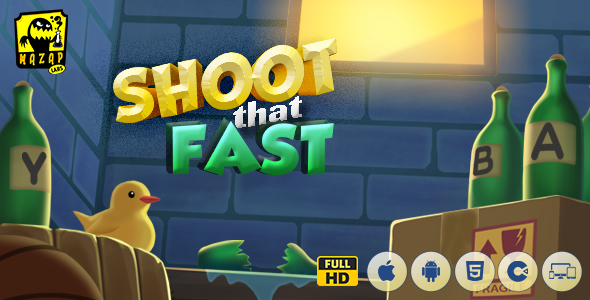
Shoot that Fast: Engineering Overview & Architecture
Shoot that Fast – Educational Fun Shooting (Construct Game) is a fast-paced HTML5 educational shooting game built on the Construct 3 engine, rendered through a single Canvas 2D surface, and designed for three distinct professional personas: classroom educators, parents building home-learning setups, and web developers embedding interactive quiz modules into production sites. The runtime compiles the entire scene graph into one canvas element, which eliminates DOM node accumulation and guarantees that sprite counts in the hundreds never inflate layout recalculations or trigger garbage-collection stalls mid-round. Every trigger, answer verification, and score update executes inside the engine’s event-sheet loop, so the HUD, timer bars, and question panels refresh within the same 60 FPS frame budget without a single page reload or AJAX round-trip.
Deployment integration relies on a self-contained exported HTML5 build that drops into any host as an iframe embed, a WordPress shortcode wrapper, or an LMS activity module for Moodle and Blackboard, requiring nothing beyond a static file directory and standard HTTPS delivery. A centralized configuration layer exposes direct control over four core parameters: the round timer threshold, the question-bank data source, the target spawn rate and movement speed, and the scoring multiplier per correct hit. Each parameter is editable through a plain JSON/text configuration block, letting administrators align difficulty curves and content with specific curriculum objectives or brand guidelines without touching the engine source.
Key Functional Features of the Shoot that Fast Game
- Rapid-Fire Shooting Mechanics: Input handlers register taps, clicks, and keystrokes within the same frame tick, with hit detection performed against bounding-box coordinates each tick so accuracy scoring reflects exact reaction latency rather than interpolated guesses.
- Adaptable Educational Content: Question banks load from an external data structure, allowing educators to swap math, vocabulary, or science prompts without modifying event sheets, and each correct answer is verified server-independent within the runtime.
- Frame-Budgeted Rendering: The engine recycles destroyed target sprites through object pooling, keeping allocations flat across full sessions and holding a steady 60 FPS on mid-range mobile hardware with no visible frame drops during spawn bursts.
- Touch Latency Normalization: Pointer input binds to unified touch and mouse events with coordinate scaling against the canvas viewport, so a hit registered at 40 ms on desktop behaves identically on a 10 ms mobile touch panel.
- Audio via WebAudio States: Sound effects initialize only after the first user gesture, correctly handling browser autoplay-lock policies, with mute and volume levels persisted through local storage across sessions.
- Self-Hosted Static Build: The exported package runs entirely from static files with no backend, no database calls, and no external CDN dependencies, keeping payload size small and load times under two seconds on standard 4G connections.
Real-World Deployment Scenarios
- Classroom Reflex Drills: Teachers embed the game inside an LMS activity module, load a custom question bank matching the week’s lesson, and use per-round accuracy percentages as measurable reaction-time and recall indicators for students.
- E-Learning Platform Modules: Web developers wrap the static build in a WordPress shortcode or iframe and deploy it as an interactive break-time quiz, increasing session duration while keeping hosting costs at zero incremental server load.
- Parental Home-Learning Setups: Parents host the exported files on any personal web space or run them locally in a browser, adjusting spawn speed and timer thresholds to scale difficulty as a child’s reaction times and subject mastery improve.
Technical Architecture & Compatibility Standards
The exported build targets modern evergreen browsers, including Chrome, Firefox, Edge, and Safari on both desktop and mobile, because rendering relies on standard Canvas 2D APIs rather than browser-specific extensions or third-party runtime plugins. Mobile support covers iOS and Android through responsive viewport scaling and touch-optimized hit zones, while desktop deployments retain keyboard and mouse input paths with identical scoring logic across every platform.
Performance engineering follows a fixed frame budget with pooled object allocation, so memory consumption stays constant through extended play sessions and Core Web Vitals scoring benefits from a minimal static payload with no render-blocking scripts. Interoperability extends to any environment that accepts HTML5 content: static hosts, WordPress installations, Moodle, Blackboard, and custom web apps can all serve the files unchanged, and asset swaps for sprites and audio require only file replacement within the media directory.
Frequently Asked Questions
Does Shoot that Fast run entirely from my own server without external dependencies?
Yes, the exported package is a self-contained static HTML5 build with no backend calls, external CDNs, or third-party runtime requirements.
Can I replace the default question bank with my own curriculum content?
Yes, question banks load from an editable external data structure, so custom math, vocabulary, or science prompts can be swapped without modifying the engine’s event sheets.
Does the game maintain a stable 60 FPS on mid-range mobile devices?
Yes, sprite recycling through object pooling keeps memory allocations flat and the render loop within its frame budget even during high-density target bursts.
Can the game be embedded directly into Moodle or Blackboard as a native plugin?
No, it does not ship as a native LMS plugin; integration works through standard iframe embedding or an activity-module wrapper pointing to the hosted build.
Is audio playback blocked by browser autoplay policies before user interaction?
No, sound effects initialize only after the first user gesture through WebAudio unlock states, which complies with autoplay-lock behavior in all major browsers.