
 My Account
Product Description
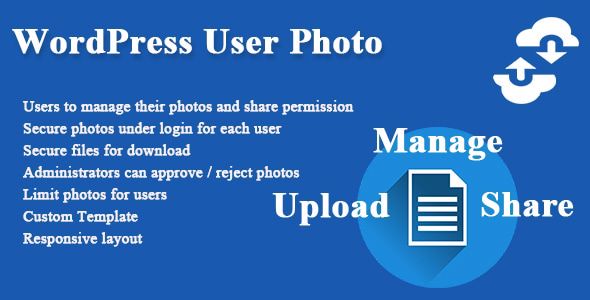
The WordPress User Photo plugin provides a seamless way for users to upload and manage their own profile pictures directly from the front end of your website. This essential tool replaces the default Gravatar system, giving both you and your users complete control over their visual identity. It’s an ideal solution for any site focused on community interaction, such as membership portals, online forums, learning platforms, and social networks, where personalizing a profile is key to user engagement.
Moving beyond the limitations of third-party avatar services is crucial for creating a cohesive brand experience. The standard WordPress setup relies on Gravatar, which many users don’t have or don’t keep updated. This powerful WordPress User Photo tool empowers your members to upload an image that truly represents them, directly on your site, without ever needing to visit an external service. This simple change dramatically improves the user journey and strengthens their connection to your platform.
Key Features
- Simple front-end photo upload interface for all users.
- Admin approval queue for moderating new profile pictures.
- Full control over image dimensions, size limits, and quality.
- Easy integration using shortcodes to display avatars anywhere.
- Ability to completely disable Gravatar across your website.
- Restrict photo upload and management capabilities by user role.
- Lightweight, efficient code that ensures fast performance.
- AJAX-powered uploads for a smooth, modern user experience.
- Full compatibility with WooCommerce and BuddyPress profiles.
- Translation-ready files for creating a multilingual experience.
Use Cases
For online forums, social networks, or BuddyPress communities, implementing the WordPress User Photo plugin is a game-changer. It transforms anonymous, generic icons into a vibrant gallery of real faces, fostering a stronger sense of identity and encouraging more authentic interactions. When members can see who they are talking to, discussions become more personal, and the community feels more connected and alive. This visual element is fundamental to building a thriving online space.
Educational platforms and membership sites benefit greatly from personalization, as it helps build trust and rapport among participants. Whether it’s a course forum or an exclusive content portal, allowing users to display a personal photo creates a more welcoming and professional environment. Students and members feel more recognized and are more likely to participate, a feature that the WordPress User Photo plugin delivers effortlessly.
Another excellent application is for creating internal business directories or public-facing team pages. Instead of manually uploading and assigning images for every staff member in the backend, you can delegate the task. By using WordPress User Photo, you can create a professional and visually appealing team page where employees manage their own profile pictures, ensuring they are always current and appropriate. This simplifies administration while keeping your site’s content fresh.
Benefits
A primary benefit is the significant boost in user engagement. A profile with a custom picture feels more complete and personal, which motivates users to invest more time in their profiles and interact more frequently on the site. This simple act of personalization is a powerful psychological trigger that increases a user’s sense of ownership and belonging, leading to higher retention rates and more active participation across your entire website.
Finally, the WordPress User Photo plugin empowers you to maintain brand consistency and control over your site’s visual identity. You can set specific image dimensions, enforce moderation through an approval queue, and restrict upload capabilities based on user roles. This ensures every profile picture aligns with your community standards and aesthetic, creating a polished, professional, and trustworthy platform for all your users.





There are no reviews yet.