
 My Account
Product Description
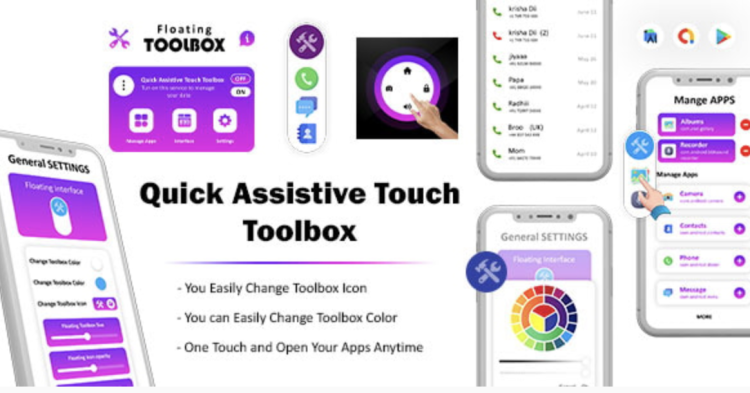
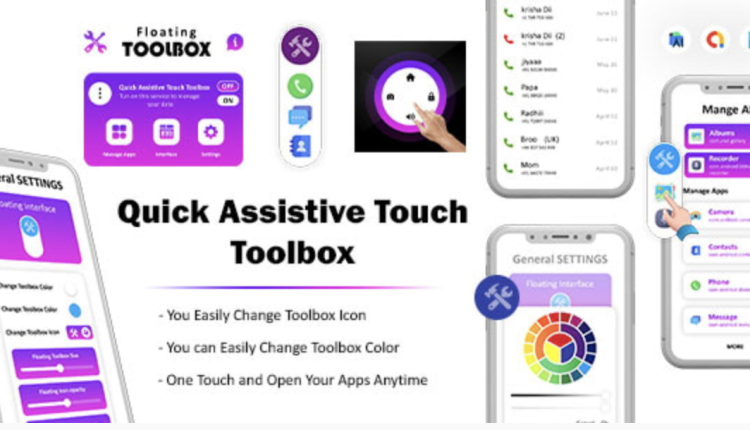
Quick Assistive provides a powerful Touch Toolbox – Assistive Touch Android – Assistive Tools – Quick Ball – EazyTouch, bringing the fluid, intuitive navigation of mobile operating systems directly to your WordPress website. This versatile plugin is engineered to enhance user experience by offering a persistent, customizable floating button that expands into a toolbox of essential shortcuts. It’s an ideal solution for e-commerce stores, content-rich blogs, corporate sites, and any digital platform aiming to improve accessibility and streamline user interactions, particularly on mobile devices. With the Quick Assistive – Touch Toolbox – Assistive Touch Android – Assistive Tools – Quick Ball – EazyTouch, you can centralize key actions and make your site feel more like a native app.
Beyond a simple button, this tool is a gateway to a fully configurable action panel. Website administrators have complete control over the shortcuts offered, from linking to critical pages like a shopping cart or contact form to executing functions such as scrolling to the top or refreshing the page. This level of customization ensures the assistive tool aligns perfectly with your site’s goals and your audience’s needs, transforming the user journey into a seamless and efficient experience.
Key Features
- Customizable Floating Icon: Adjust the button’s appearance, size, and on-screen position to match your website’s branding and layout.
- Expandable Action Panel: The icon opens a clean, modern toolbox where you can add multiple custom actions and shortcuts.
- Pre-Defined Actions: Includes built-in one-touch actions like ‘Scroll to Top,’ ‘Go Back,’ ‘Go Forward,’ and ‘Refresh Page.’
- Custom Link Support: Easily add direct links to any internal or external URL, guiding users to important pages effortlessly.
- Device Visibility Control: Choose to display the tool on all devices, or limit it to mobile, tablet, or desktop for a targeted experience.
- Lightweight and Optimized: Built with performance in mind, the plugin adds powerful functionality without slowing down your website.
- Modern Animations: Smooth, fluid animations provide a professional and polished feel, enhancing the overall user interaction.
Use Cases
For e-commerce platforms, integrating a Touch Toolbox – Assistive Touch Android – Assistive Tools – Quick Ball – EazyTouch can significantly reduce friction in the customer journey. You can configure the panel to include instant links to the user’s shopping cart, account dashboard, wishlist, or ongoing sales. By placing these crucial navigation points just a tap away, you simplify the path to checkout and help boost conversion rates.
Content-heavy websites such as blogs, magazines, and news portals benefit immensely from a centralized navigation hub. The assistive tool can house shortcuts for sharing articles on social media, jumping to the comments section, subscribing to a newsletter, or accessing category archives. This keeps readers engaged, encourages interaction, and makes exploring your content library a much more intuitive process.
Quick Assistive transforms user interaction on corporate and service-based websites by centralizing key calls-to-action. You can create a ‘Quick Contact’ hub that links directly to a ‘Request a Quote’ form, a click-to-call phone number, or your business location on a map. This immediate access to contact options makes it incredibly simple for potential clients to get in touch, generating more leads with less effort.
Benefits
The primary advantage of implementing the Quick Assistive – Touch Toolbox – Assistive Touch Android – Assistive Tools – Quick Ball – EazyTouch is the dramatic improvement in user experience (UX). Especially on mobile devices where screen space is precious and traditional menus can be cumbersome, this floating toolbox provides a persistent, non-intrusive, and highly accessible navigation point. It ensures that your site’s most important functions are always within the user’s reach.
This tool also makes a significant contribution to your site’s accessibility. For users who may have difficulty with complex gestures or navigating deep menu structures, the assistive button offers a simplified alternative. By consolidating essential actions into an easy-to-use panel, you create a more inclusive environment that caters to a wider audience, demonstrating a commitment to user-centric design principles.



There are no reviews yet.