
 My Account
Product Description
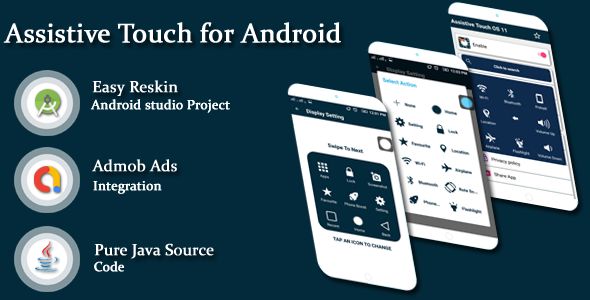
The Assistive Touch for Android & Toucher pro plugin brings the convenience of a mobile-style floating action button directly to your WordPress website. This powerful tool is designed for any site owner looking to enhance user navigation and accessibility, providing a central, easy-to-reach hub for your most important links and functions. It creates a seamless, app-like experience that keeps users engaged and simplifies their journey through your content, whether they are on a desktop computer or a mobile device.
By centralizing key actions into one accessible point, you dramatically improve the overall user experience. Visitors no longer need to hunt for menus or scroll endlessly to find what they are looking for. The Assistive Touch for Android & Toucher pro provides an intuitive shortcut system that can be tailored to any workflow, making your website feel more responsive, modern, and user-centric. This simple addition can significantly reduce bounce rates by making site navigation completely effortless for everyone.
Key Features
- Floating and Draggable Panel: The touch button can be moved and positioned anywhere on the screen for maximum user convenience.
- Fully Customizable Actions: Easily add custom links, shortcuts to key pages, social media profiles, or contact actions like email and phone calls.
- Advanced Styling Options: Take full control over the button’s appearance with unlimited color options, a vast library of Font Awesome icons, and adjustable panel styles.
- Responsive Visibility: Configure the button to appear only on specific devices, such as showing it exclusively for mobile users or hiding it on tablets.
- Smooth Animations: The panel opens and closes with clean, professional animations that enhance the user experience without being distracting.
- Lightweight and Optimized: Built with performance in mind, the tool adds powerful functionality to your site without causing any slowdowns.
Use Cases
For e-commerce stores, this tool is a game-changer. Imagine a floating button that instantly reveals links to the shopping cart, user account, order tracking, and customer support. This immediate access removes barriers to purchase and provides the quick, efficient service that modern online shoppers expect. It helps declutter your main navigation by offloading common actions to a dedicated, always-on-screen utility.
Business and portfolio websites can leverage this functionality to drive conversions and generate new leads. You can configure the button to include a “Request a Quote” link, a direct “click-to-call” button, or a shortcut to your contact form. By making your primary call-to-action constantly visible yet unobtrusive, the Assistive Touch for Android & Toucher pro ensures potential clients can connect with you the moment they decide to take the next step.
Content-heavy sites like blogs and news portals benefit immensely from streamlined navigation. Use the floating panel to offer quick access to social sharing options, a site-wide search bar, or a “back to top” function that saves users from tedious scrolling. Implementing the Assistive Touch for Android & Toucher pro enhances readability and encourages users to interact more deeply with your articles, fostering better engagement and return visits.
Benefits
The primary benefit is a significant boost in your site’s overall usability and user experience. The Assistive Touch for Android & Toucher pro simplifies complex navigation structures into a single, intuitive on-screen element. This approach is particularly effective on mobile devices, where screen space is limited and traditional hamburger menus can be cumbersome. It empowers users with control and makes their interaction with your site feel smooth, fast, and satisfying.
Ultimately, a better user experience translates into higher engagement and improved conversion rates. When you make it easier for visitors to find what they are looking for, they are more likely to stay on your site, explore your offerings, and complete your desired actions. The Assistive Touch for Android & Toucher pro acts as a gentle but effective guide, subtly directing user flow toward your most important goals, whether that is a sale, a subscription, or a simple contact inquiry.


There are no reviews yet.