
 My Account
✅ Product Description
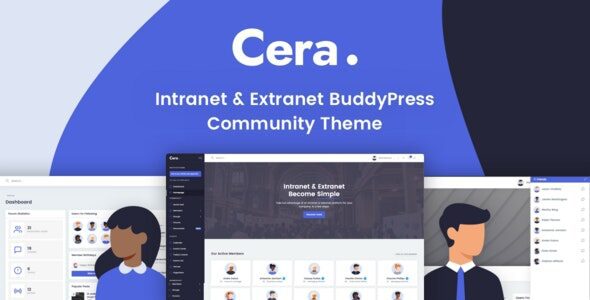
Cera is an Intranet Community Theme designed for organizations that want a dependable private network where people join, collaborate, and stay informed. In the first screen, members meet a clear welcome, straightforward navigation, and obvious actions to sign in, browse groups, or check updates—keeping momentum high from the start. A calm visual rhythm—measured spacing, readable type, and restrained motion—supports long threads, wikis, and announcements without visual noise or performance drag.
With Cera – Intranet Community Theme, you can structure a home that moves from “what this space is” to “how to participate” in a clean, predictable sequence. Landing sections introduce teams, quick links, and upcoming events; deeper pages hold policies, onboarding FAQs, and resource libraries. Editors can rearrange modules for campaigns or quarters, while the grid preserves hierarchy so busy readers find what they need in seconds.
The Intranet Community Theme approach places clarity over gimmicks. Profiles foreground names, roles, and contact preferences; group pages surface fresh topics, files, and pinned posts in consistent locations. Notifications stay informative rather than noisy, so people return for meaningful updates. Mobile layouts keep tap targets generous and forms short, helping new users complete onboarding without friction.
Cera begins with practical information architecture: dashboard, groups, knowledge base, events, and help. That spine scales as programs expand, and permissions remain intelligible for admins who manage multiple departments. Search respects user intent, pulling from posts, docs, and people with clear result labels. Lightweight analytics help owners understand participation trends and identify pages worth promoting.
Cera – Intranet Community Theme also supports storytelling that builds belonging. You can spotlight newcomers, celebrate wins, and route readers to deeper resources—playbooks, retrospectives, or highlight reels—without breaking the flow. As libraries grow, filters and related links prevent overwhelm, while page weight stays lean for reliability during all-hands announcements or policy rollouts.
Finally, the editorial experience remains humane. Content blocks encourage concise summaries, embedded media stays polite, and accessibility patterns ensure screen-reader and keyboard users can move confidently. The result is a private site that feels quiet when it should and energetic when it counts—exactly what internal communities need to turn awareness into participation.
✅ Key Features
-
Modular sections for dashboards, groups, knowledge bases, events, and help
-
Clean article and announcement templates with summaries and anchors
-
Mobile-first layouts with accessible navigation and sensible sticky elements
-
Consistent card hierarchies for people, posts, files, and tasks
-
Search that spans docs, discussions, and profiles with clear result labels
-
Performance-minded structure and restrained motion for reliability
✅ Use Cases
Department hubs centralize guidelines, forms, and deadlines; project spaces coordinate roadmaps, decision logs, and handoffs; campus communities host clubs, events, and student services in one coherent place. Vendor portals and member associations can also run secure discussions and share resources without scattering tools or fragmenting the brand experience.
✅ Benefits
Teams understand where to start, find answers quickly, and share updates with less back-and-forth. Editors publish faster and keep structure consistent as programs evolve. Participation rises because content remains readable on any device, and leadership gains a trustworthy channel for announcements that actually reach people and lead to action.



There are no reviews yet.