Livemesh Addons for Elementor Premium
Product Description
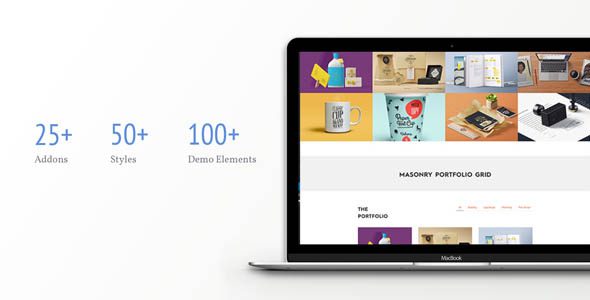
Livemesh Addons for Elementor Premium is a professional widget collection for Elementor users who want agency-grade sections without heavy custom code. It suits marketing sites, portfolios, blogs, and WooCommerce stores that demand fast setup, consistent styling, and clean responsiveness—perfect for teams standardizing on Elementor.
Build hero areas, feature grids, carousels, counters, and testimonial walls with unified controls. Fine-tune spacing, typography, and motion with precision so every block aligns with your brand system. Global presets help non-designers ship polished layouts while developers keep pages lean.
Create content once, then repurpose patterns across templates. Conditional display and device-aware options let you craft mobile-first experiences. Editors can drop in widgets, connect dynamic data, and keep creative flow uninterrupted. Collaboration gets easier when the building blocks behave predictably and preview accurately.
Key Features
-
Advanced content and media carousels
-
Post grids, lists, and masonry layouts
-
Hero, features, tabs, and accordion elements
-
Counters, progress bars, and callouts
-
Testimonials, team, and client logos
-
Pricing tables and comparison blocks
-
Form stylers and content toggles
-
Global presets, micro-animations, and controls
Use Cases
Addons for Elementor Pro helps freelancers assemble launch-ready landing pages in hours, not days, by combining optimized widgets and brandable presets. It’s also ideal for content teams maintaining multi-author blogs that require uniform modules and consistent typography.
Use Addons for Elementor Pro to prototype quickly: start with grid and hero widgets, sprinkle motion for emphasis, and evolve component libraries per client. For WooCommerce catalogs, pair product grids with badges, tabs, and accordions to clarify choices and reduce bounce.
Benefits
Livemesh Addons for Elementor Premium shortens your distance from idea to published page. Reusable patterns and predictable controls cut revision loops, while accessible markup and responsive options keep QA time low. Designers gain creative range; editors gain clear, guard-railed choices.
Performance matters: lean widgets, careful asset loading, and consistent controls help pages stay swift as content grows. Fewer plugins doing more work simplifies maintenance and lowers risk—an important win for agencies managing many sites.
✅ Workflow Tips
Start with a style preset, then layer widgets for hierarchy—hero, features, social proof, CTA. Save sections as templates to accelerate rollouts across campaigns. Document your spacing and type scales once, and let the library enforce them while you focus on messaging.