
 My Account
✅ Product Description
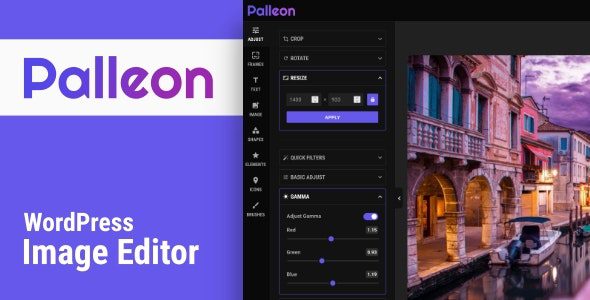
Palleon is a WordPress Image Editor for teams that want polished, on-brand visuals without leaving the dashboard. Overview: it adds a layer-based canvas, templates, smart cropping, and quick publishing to posts, products, and landing pages, so marketers, editors, and store owners can produce consistent imagery at speed while design rules remain intact.
Editors build from reusable presets, switch sizes for thumbnails, headers, and social tiles, and keep type scales, color palettes, and watermark overlays at hand. Batch workflows tame repetitive tasks—resizing galleries, adding badges, or localizing banners—while non-destructive layers and version history make creative trials safe to undo. The result is fewer external round-trips, fewer lost assets, and visuals that actually match your theme spacing and rhythm. Palleon – WordPress Image Editor also respects performance: media stays organized, exports are lightweight, and image replacements won’t break existing layouts.
Teams need structure as much as freedom. You can lock brand fonts, restrict color sets, and standardize aspect ratios across categories, which keeps product grids tidy and prevents awkward crops on mobile. Snap-to guides, grids, and alignment tools accelerate precise placements, while background removal and quick filters help non-designers produce clean hero art in minutes. Because everything happens in WordPress, reviews are straightforward—roles define who drafts, approves, or finalizes, with an audit trail that clarifies changes.
When campaigns scale, templates shine. Seasonal promos start from the same base, only copy and photos change, and your catalog remains visually coherent as SKUs multiply. If a platform needs a new format, adjust once at the template level and let authors duplicate confidently. For multilingual teams, duplicating a master layout prevents re-inventing compositions for each locale and reduces inconsistent typography or spacing.
✅ Key Features
-
Layered canvas with text, shapes, icons, masks, and stickers
-
Preset sizes for posts, products, ads, and major social networks
-
Brand palettes, font stacks, locked elements, and watermark overlays
-
Smart crop, background removal, filters, and fine adjustments
-
Grids, rulers, and snap-to alignment for pixel-clean layouts
-
Version history, duplicate-as-new, and non-destructive edits
-
Save to Media Library with quick replace on pages and products
-
Role-aware permissions and tidy folders for team workflows
✅ Use Cases
Palleon handles blog headers, comparison graphics, tutorial callouts, and sale badges. Retailers standardize product galleries; publishers produce series art with episode numbers; nonprofits template event posters; agencies hand off libraries clients can safely adapt. For WooCommerce, size-accurate thumbnails and consistent lifestyle images lift trust and conversion, while Palleon – WordPress Image Editor keeps output lightweight for speedy pages.
✅ Benefits
Palleon reduces context switching, speeds approvals, and preserves brand consistency across campaigns. Designers define the guardrails once; editors move faster within them; marketers ship more variations without breaking style. In practice, Palleon – WordPress Image Editor shortens time-to-publish, keeps assets reversible, and ensures every visual—from hero to micro-thumbnail—lands sharp, accessible, and on message.



PixelAnchor
Practical answers, not generic